abakus24 Partner Page
Embed appointment booking in your abakus24 partner page.
- Go to Configuration, then Appointment Calendar.
- Select and copy the calendar URL.
- Log in to your abakus24 partner area.
- Open Advisor page, then Consultations & appointments.
- Paste the URL under Appointments and click Save data.
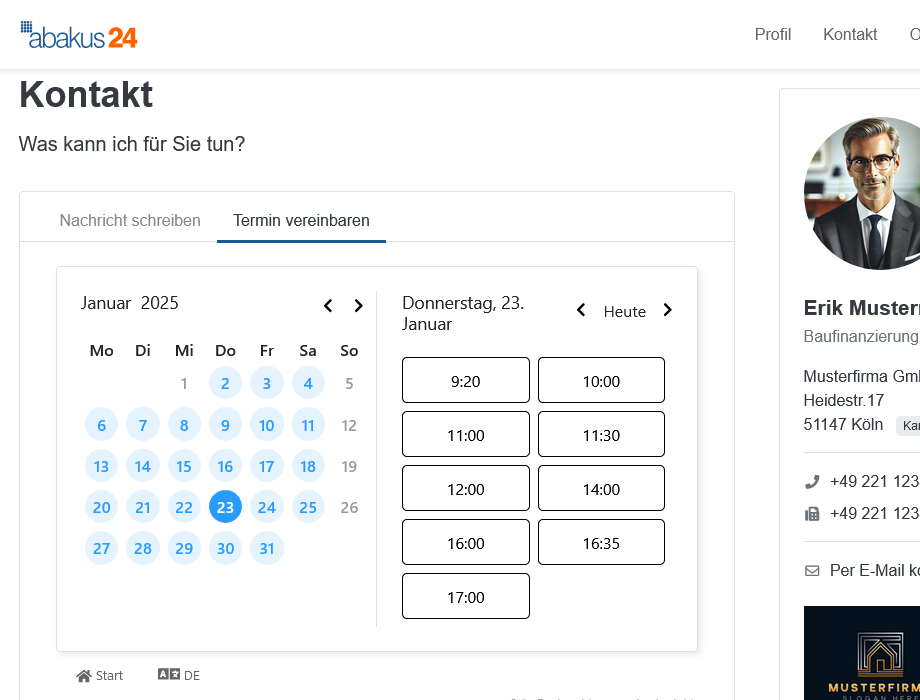
- The calendar is now displayed under Contact > Make an appointment.
Screenshots
Go to Configuration, then Appointment Calendar
1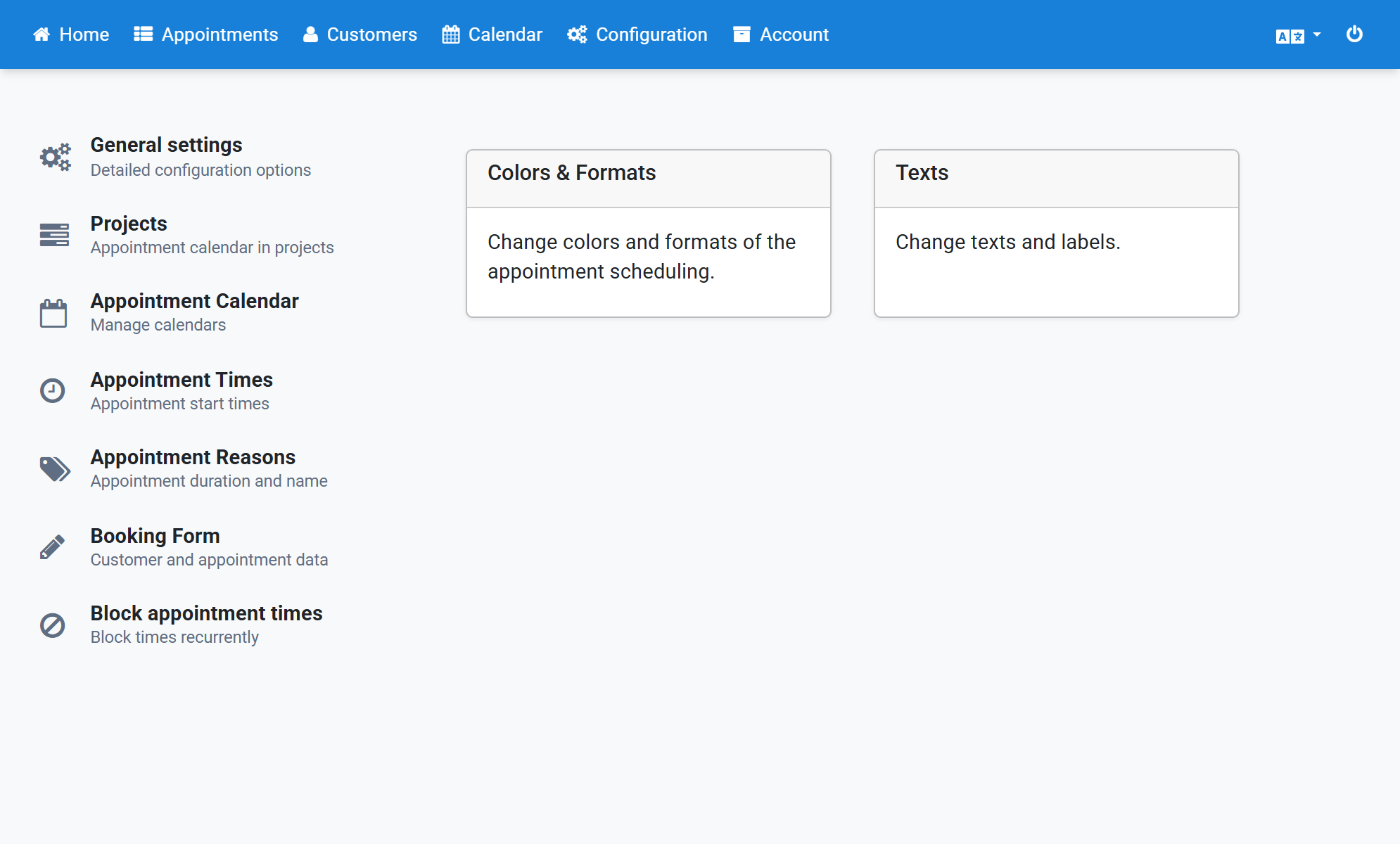
Select and copy the calendar URL
2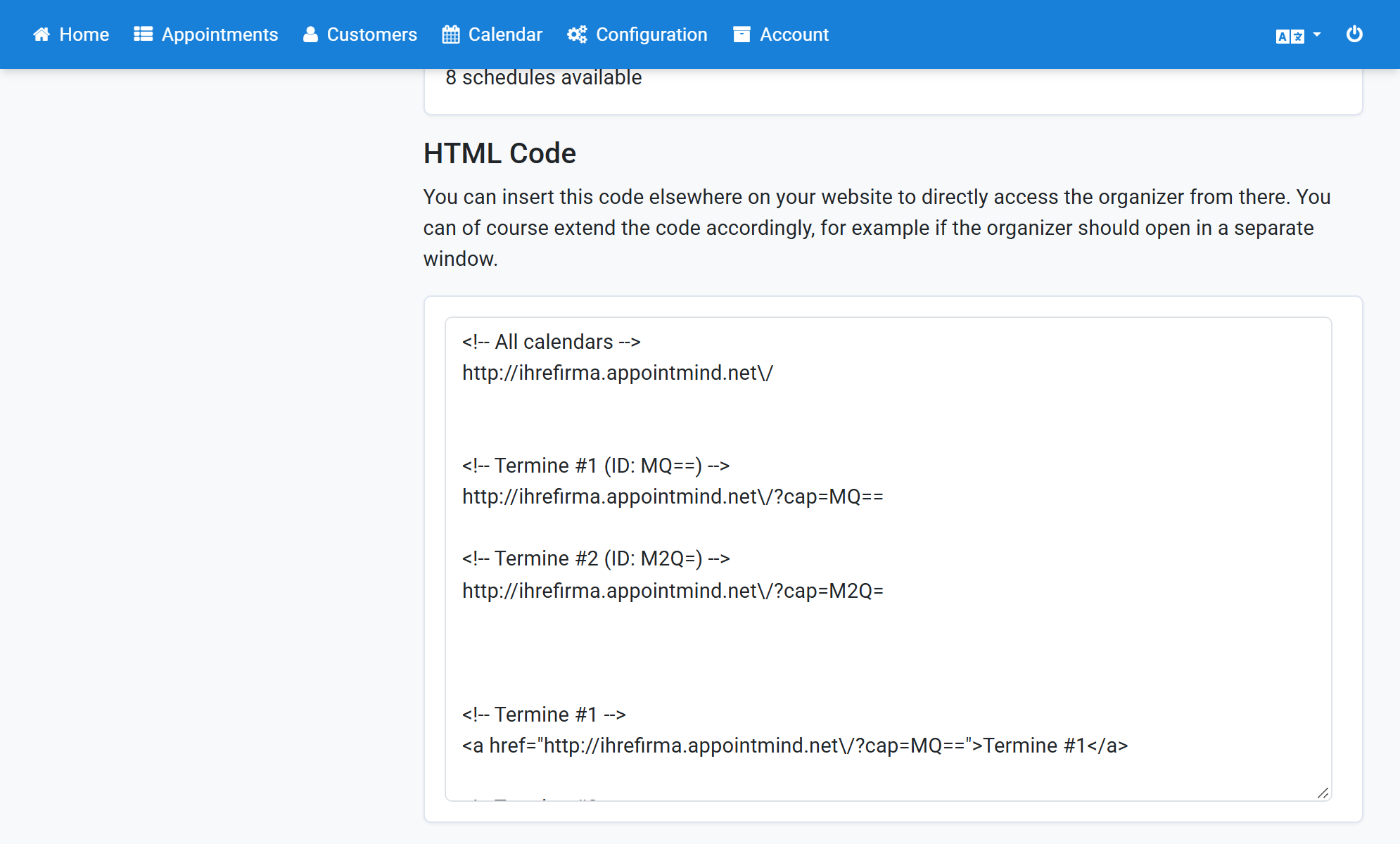
Log in to your abakus24 partner area
3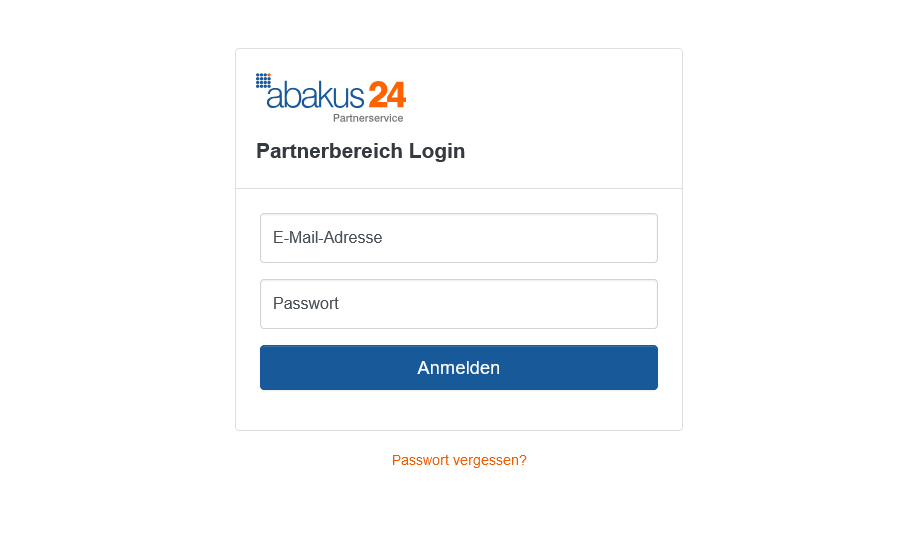
Open Advisor page, then Consultations & appointments
4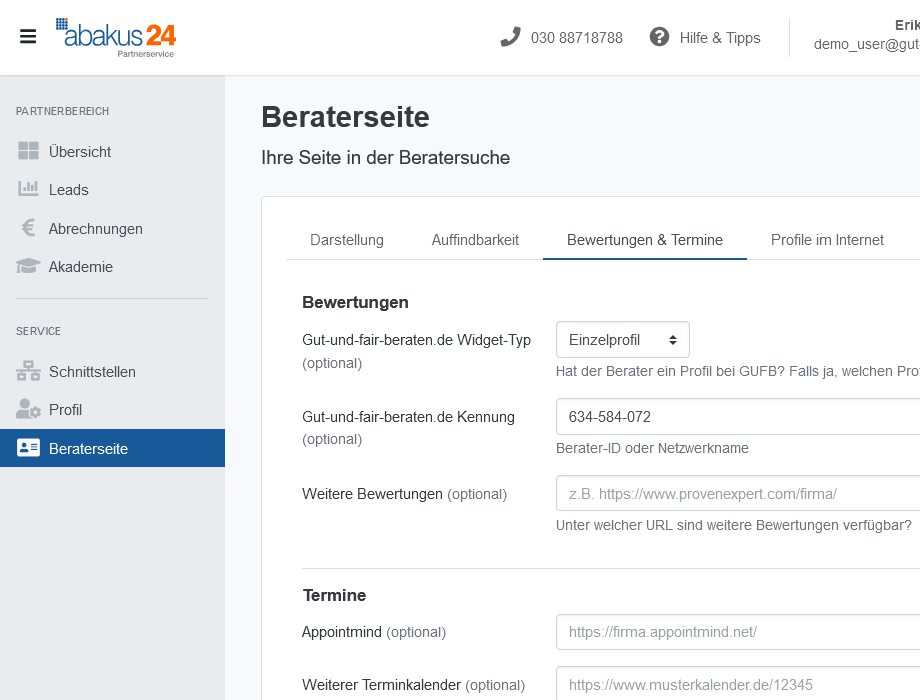
Paste the URL under Appointments and click Save data
5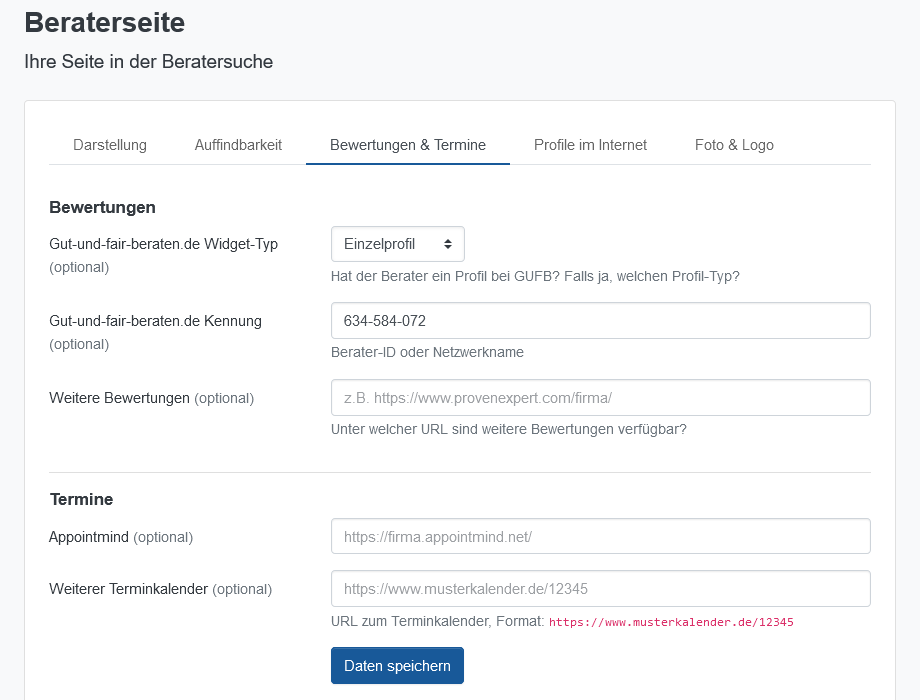
The calendar is now displayed under Contact > Make an appointment
6