Thunderbird calendar
Sync your calendar with the Thunderbird calendar via CalDAV
Settings at Appointmind
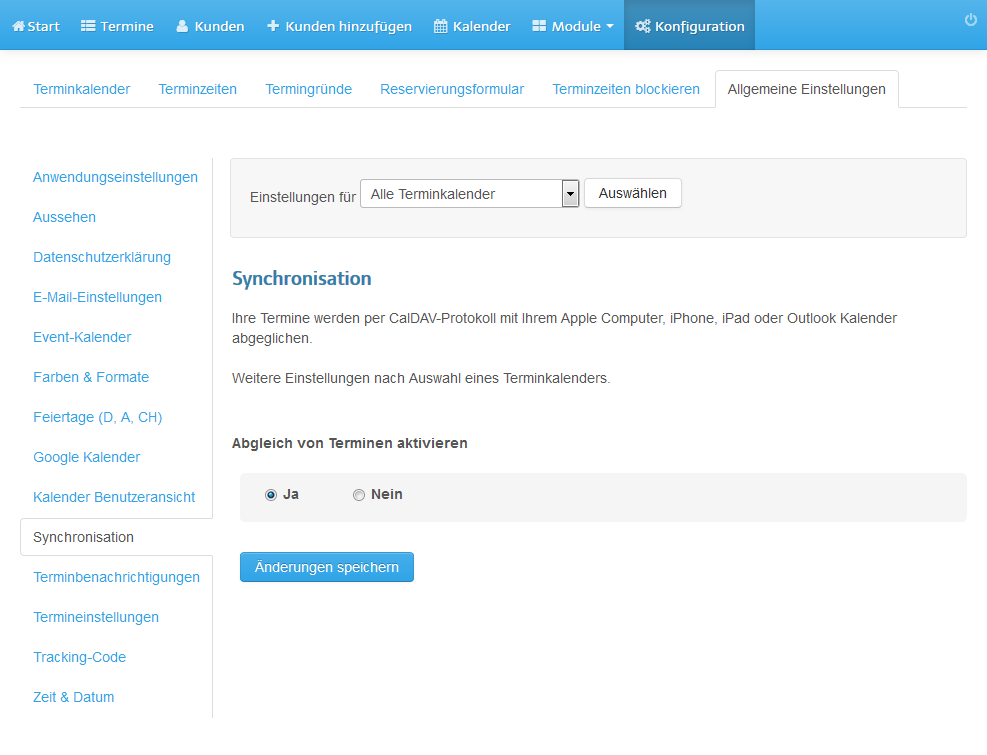
To set up a calendar account in your calendar you need your user ID, the password you have chosen and the calendar address (URL). You find all three in the admin area of your Appointmind calendar under Configuration » General settings » Synchronization.
1. First activate the synchronization
2. Choose a password
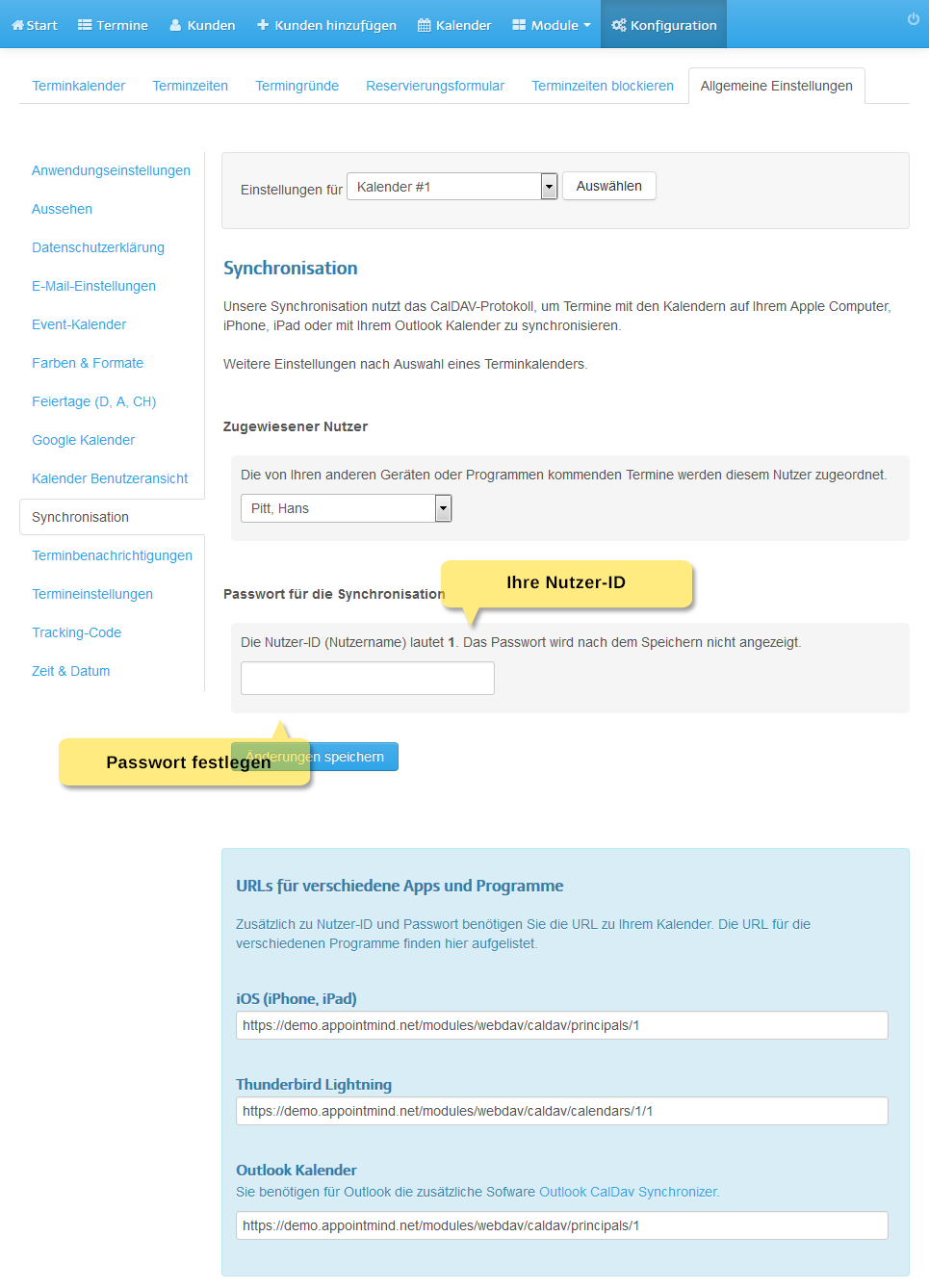
Below the settings you find the calendar addresses (URLs).
Settings in Thunderbird
1. In the File menu, select New and then Calendar
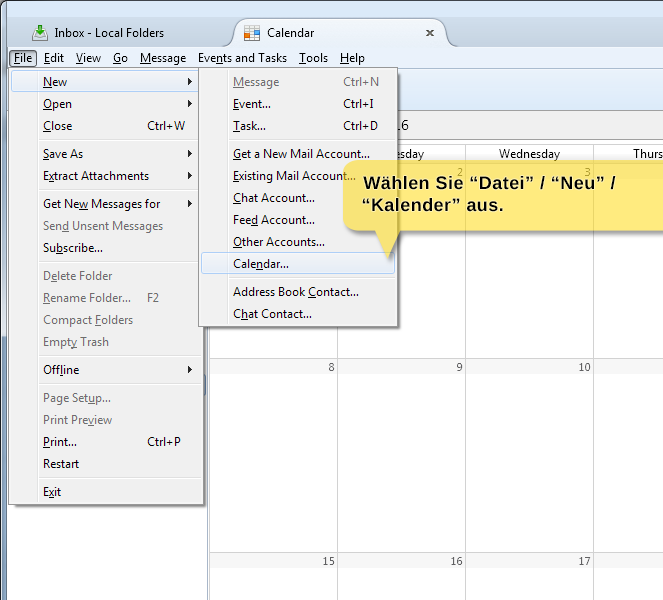
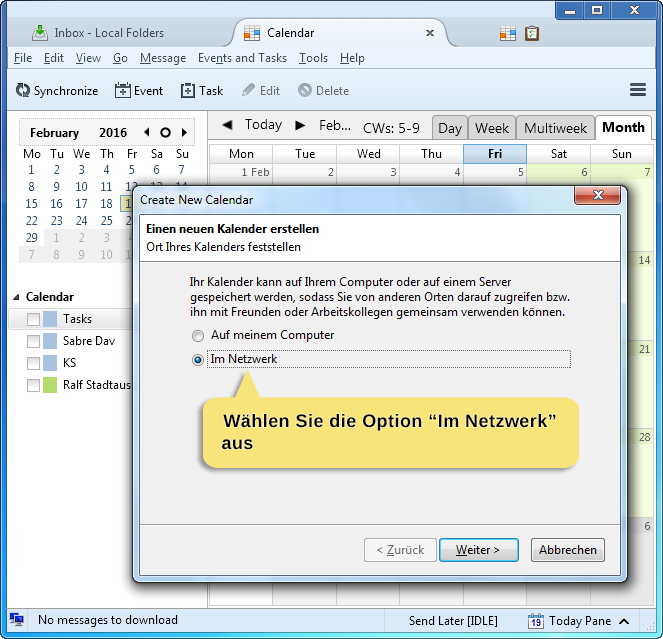
2. Select On the Network
3. Select CalDAV as the format and enter the calendar URL under Location
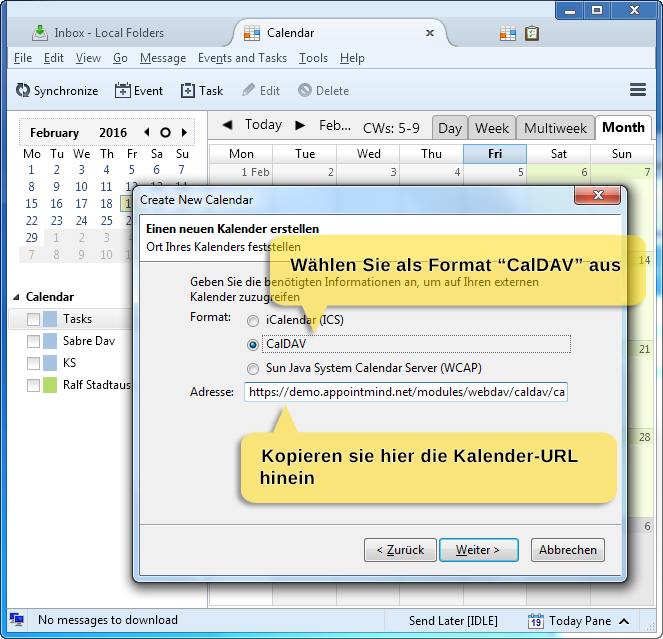
4. Select CalDAV as the format and enter the calendar URL under Location
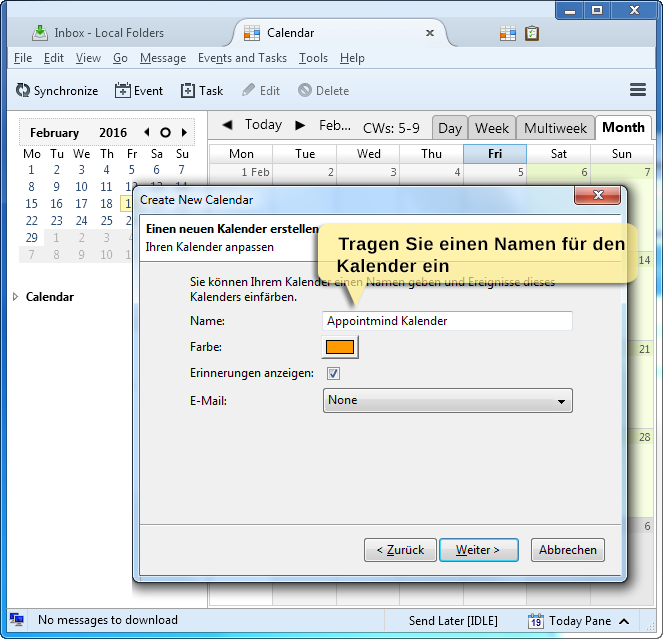
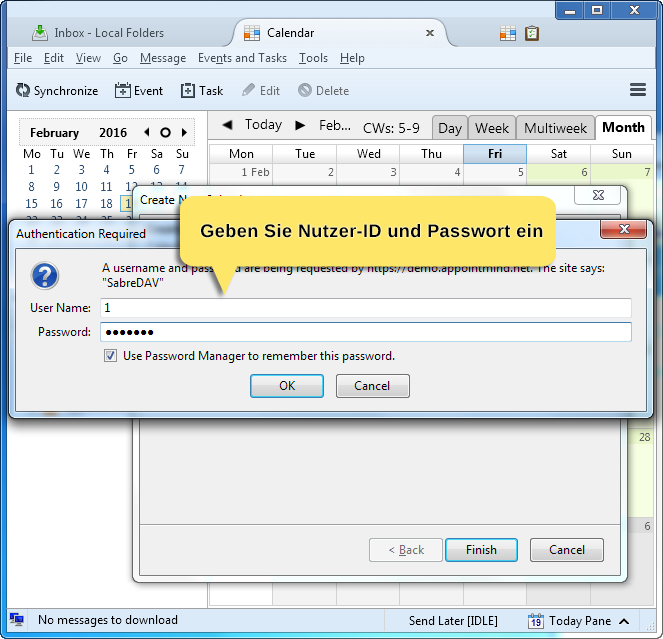
5. Finally enter the user ID and your password