Delete Administrative Appointments
- Click Appointments in the navigation.
- Click complete in the appointment-list heading.
- The administrative appointments are listed with their reason.
- Select the appointments to delete using the checkboxes on the right.
- Scroll down and click Delete.
- Click Yes, I'm sure.
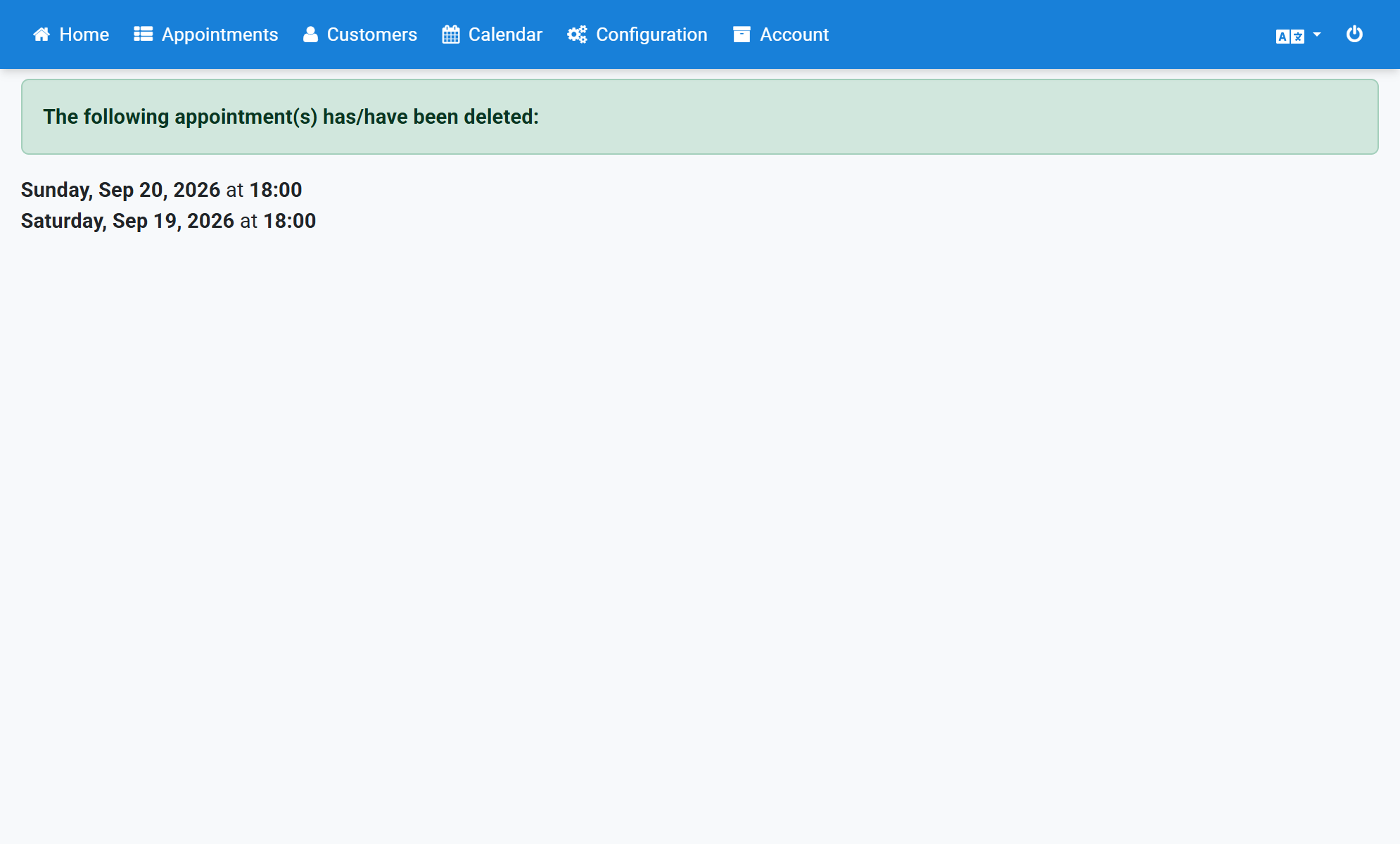
- A confirmation shows that the appointments were deleted.
Screenshots
Click Appointments in the navigation
1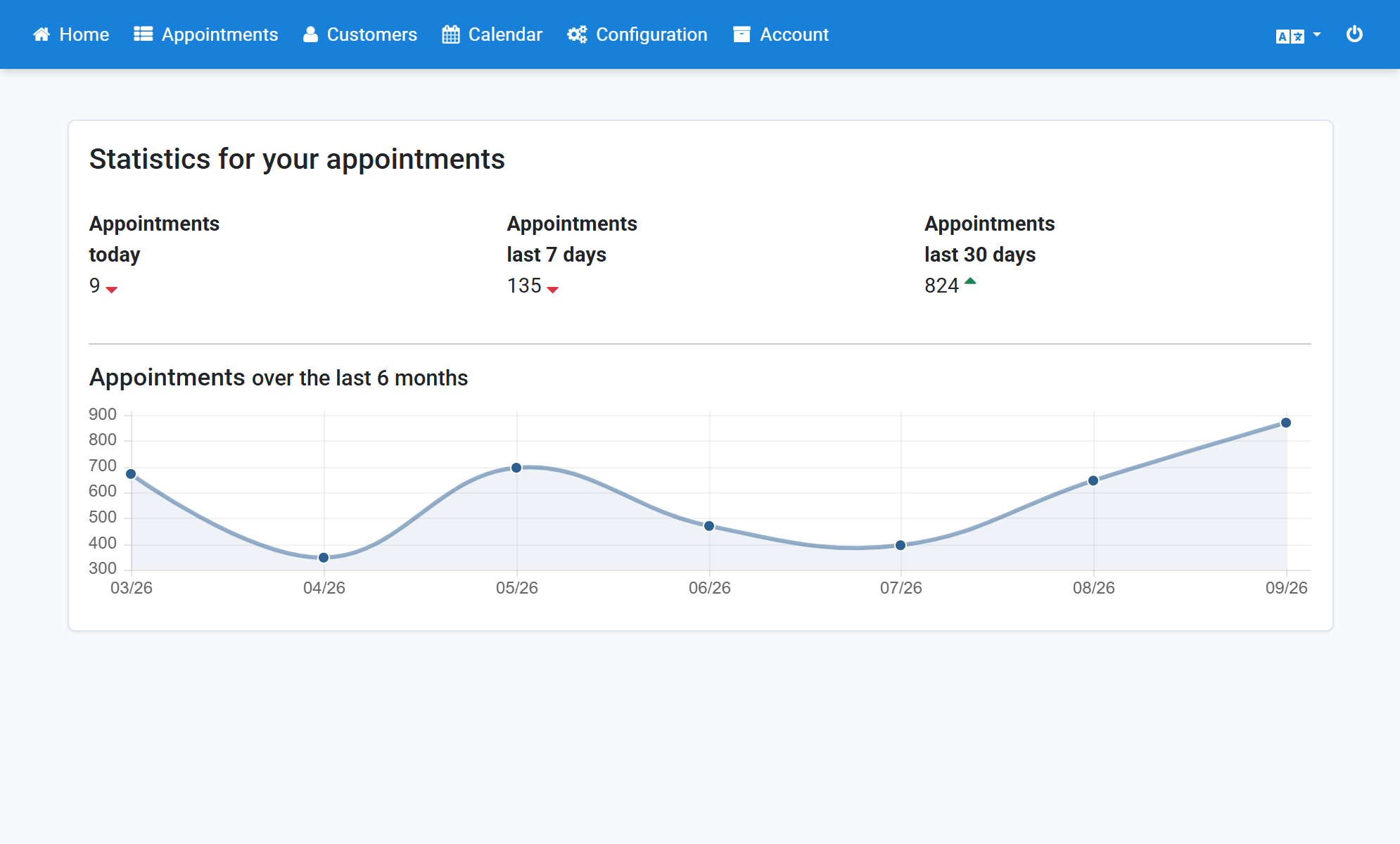
Click complete in the appointment-list heading
2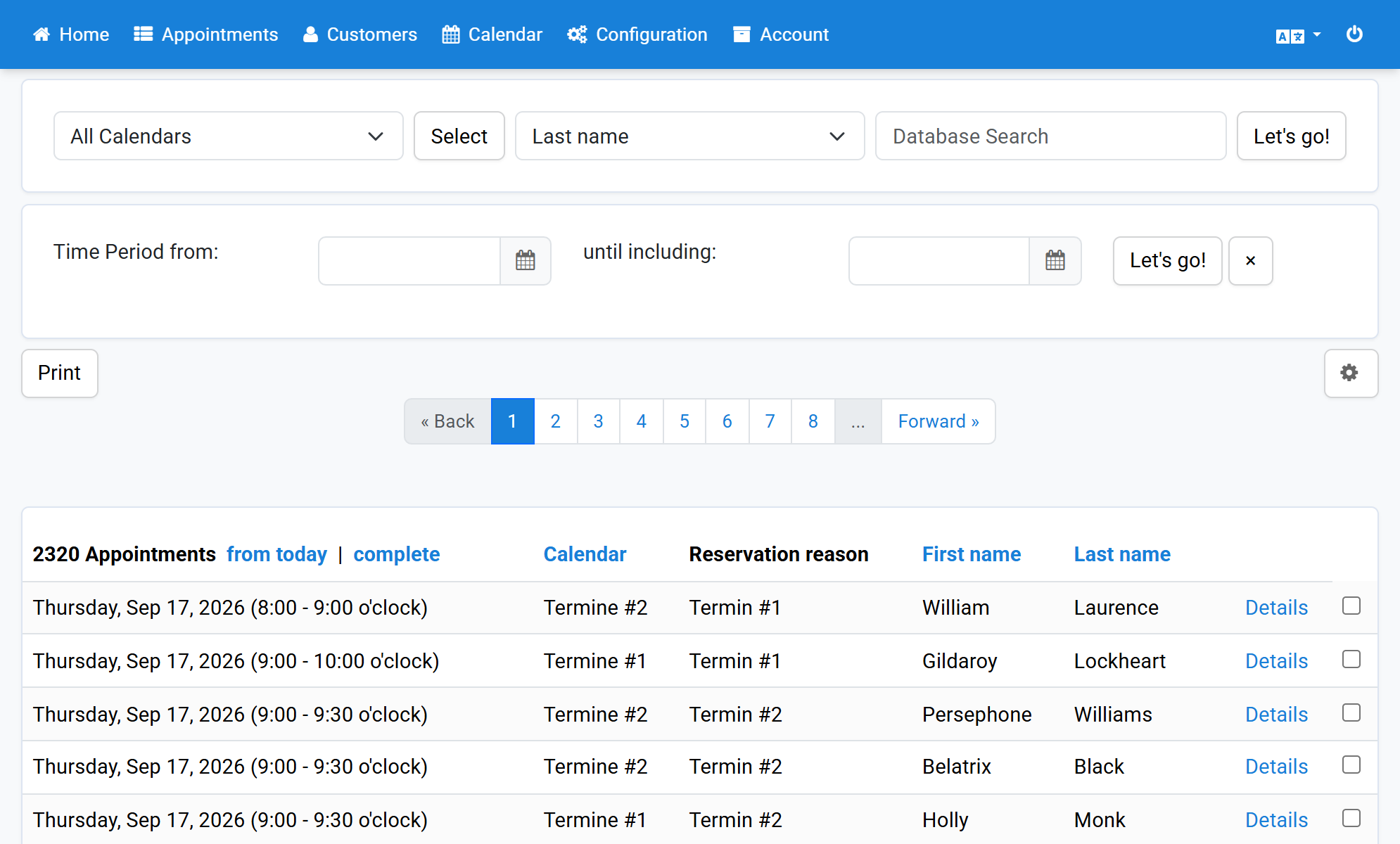
The administrative appointments are listed with their reason
3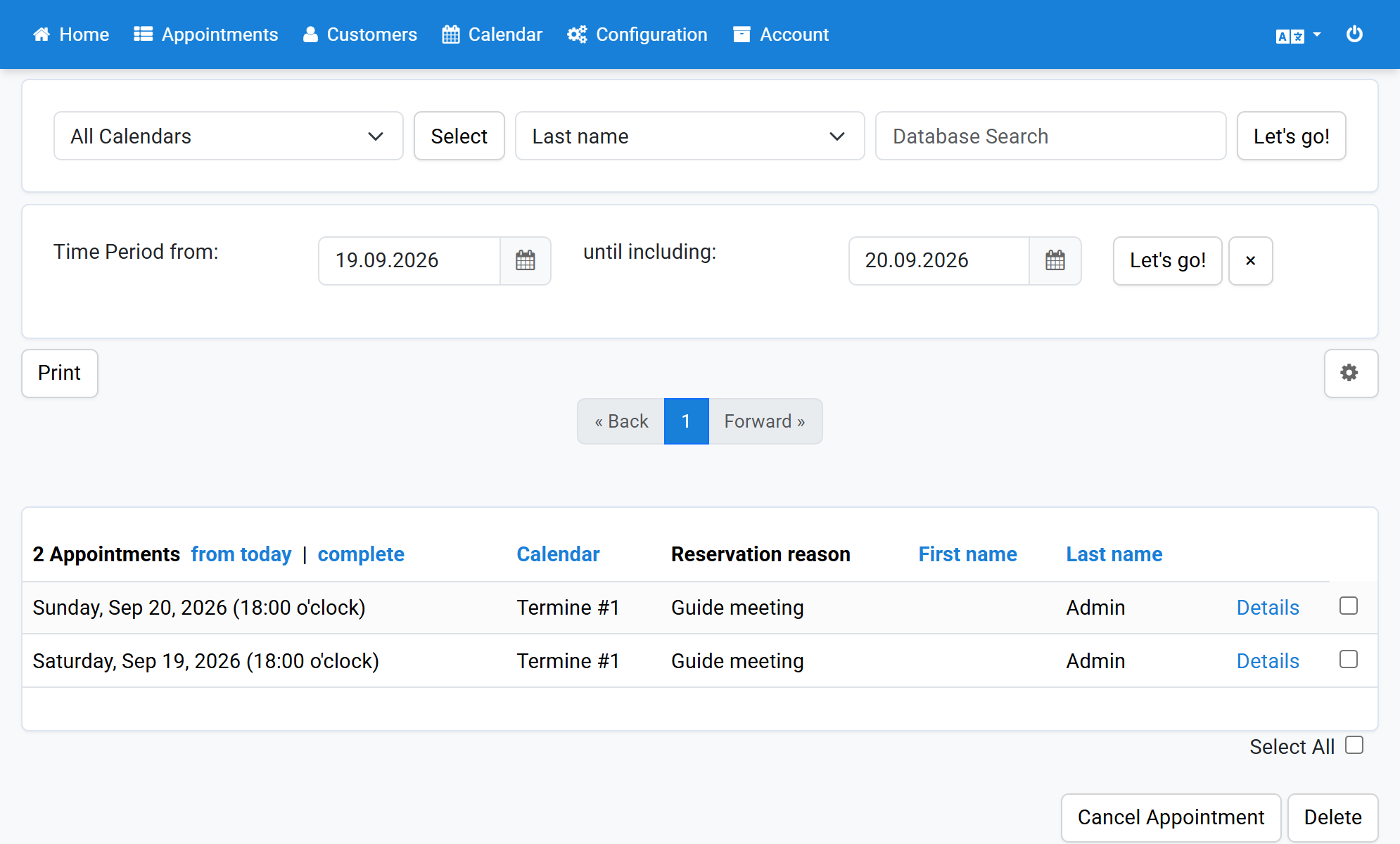
Select the appointments to delete using the checkboxes on the right
4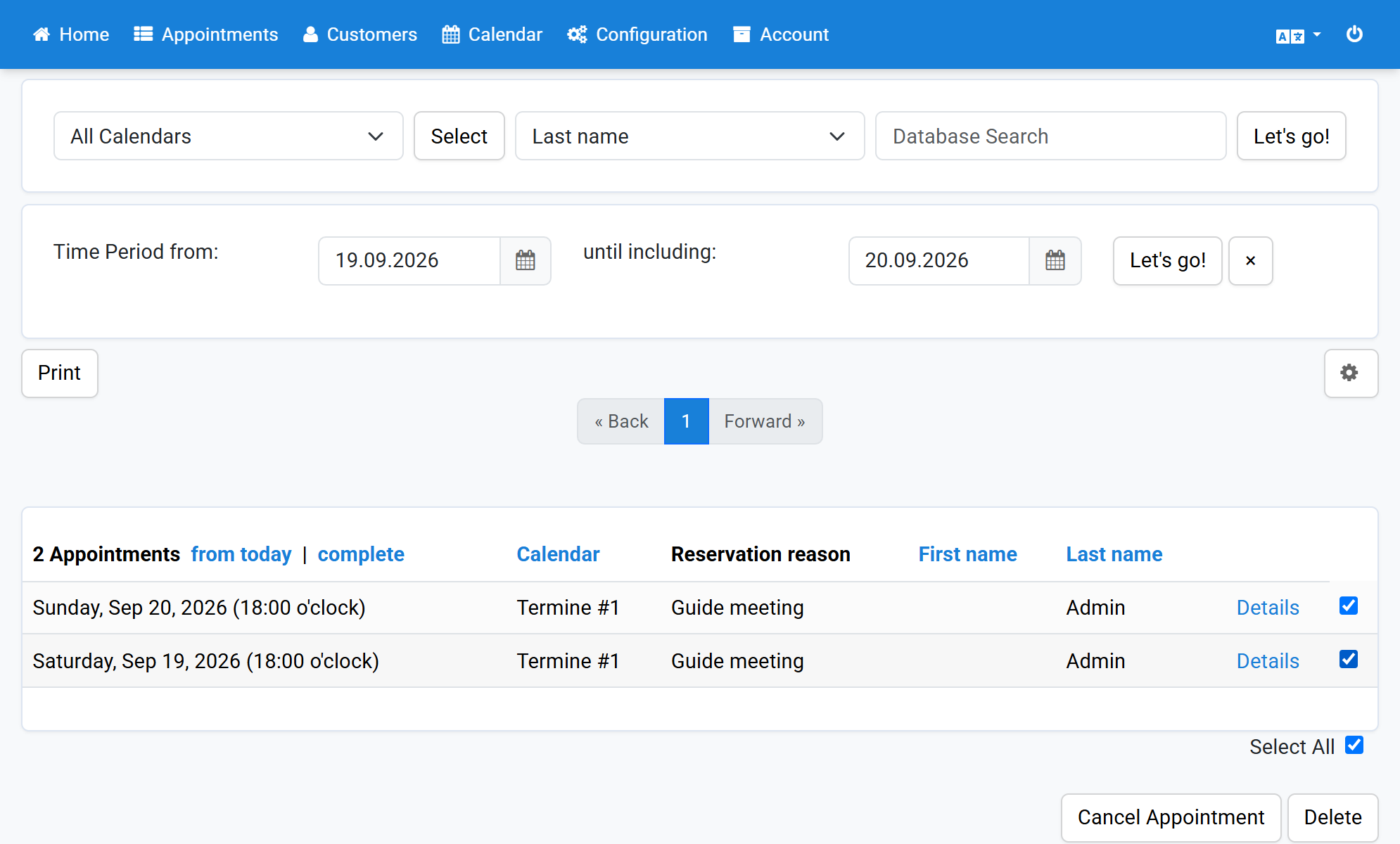
Scroll down and click Delete
5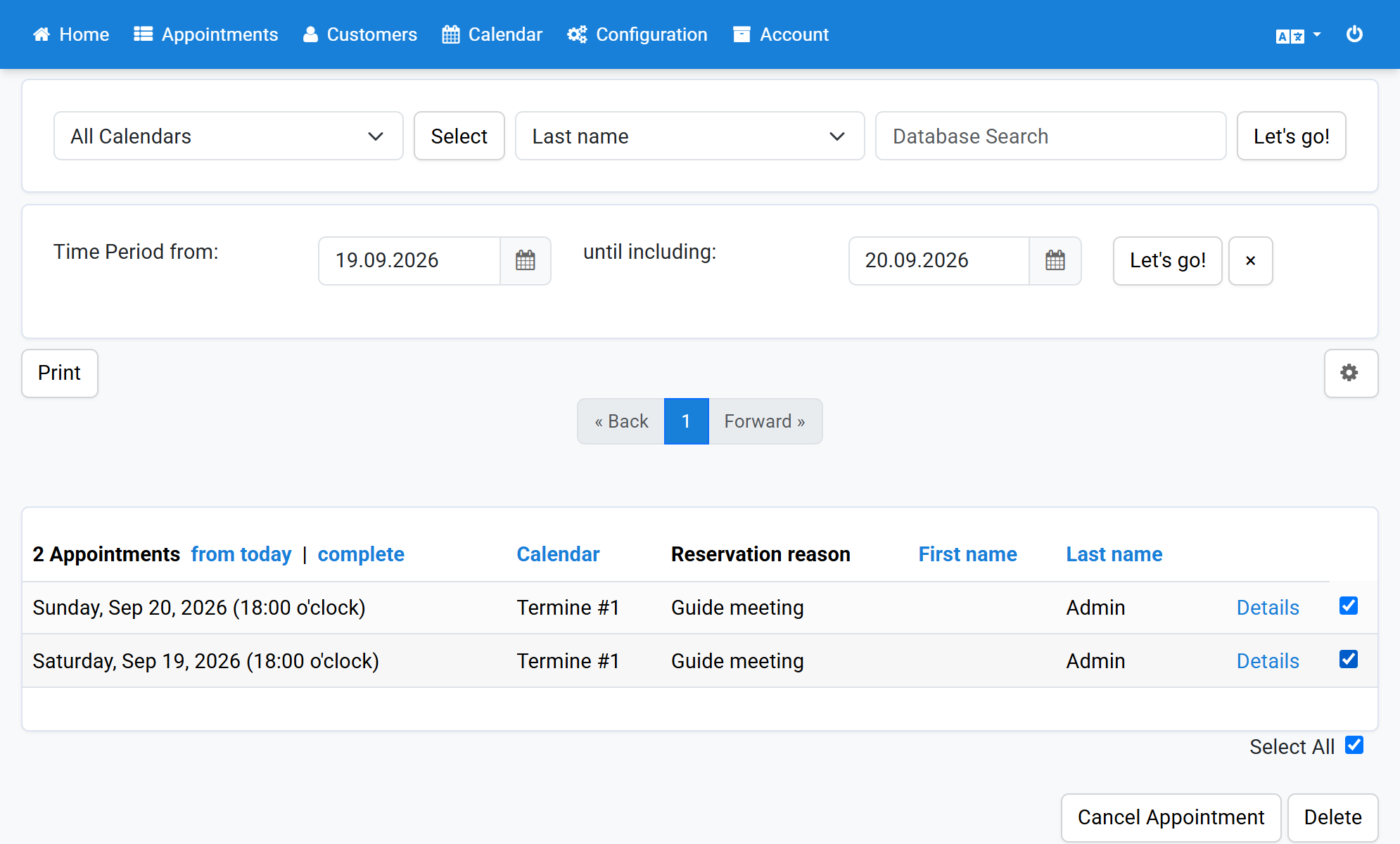
Click Yes, I'm sure
6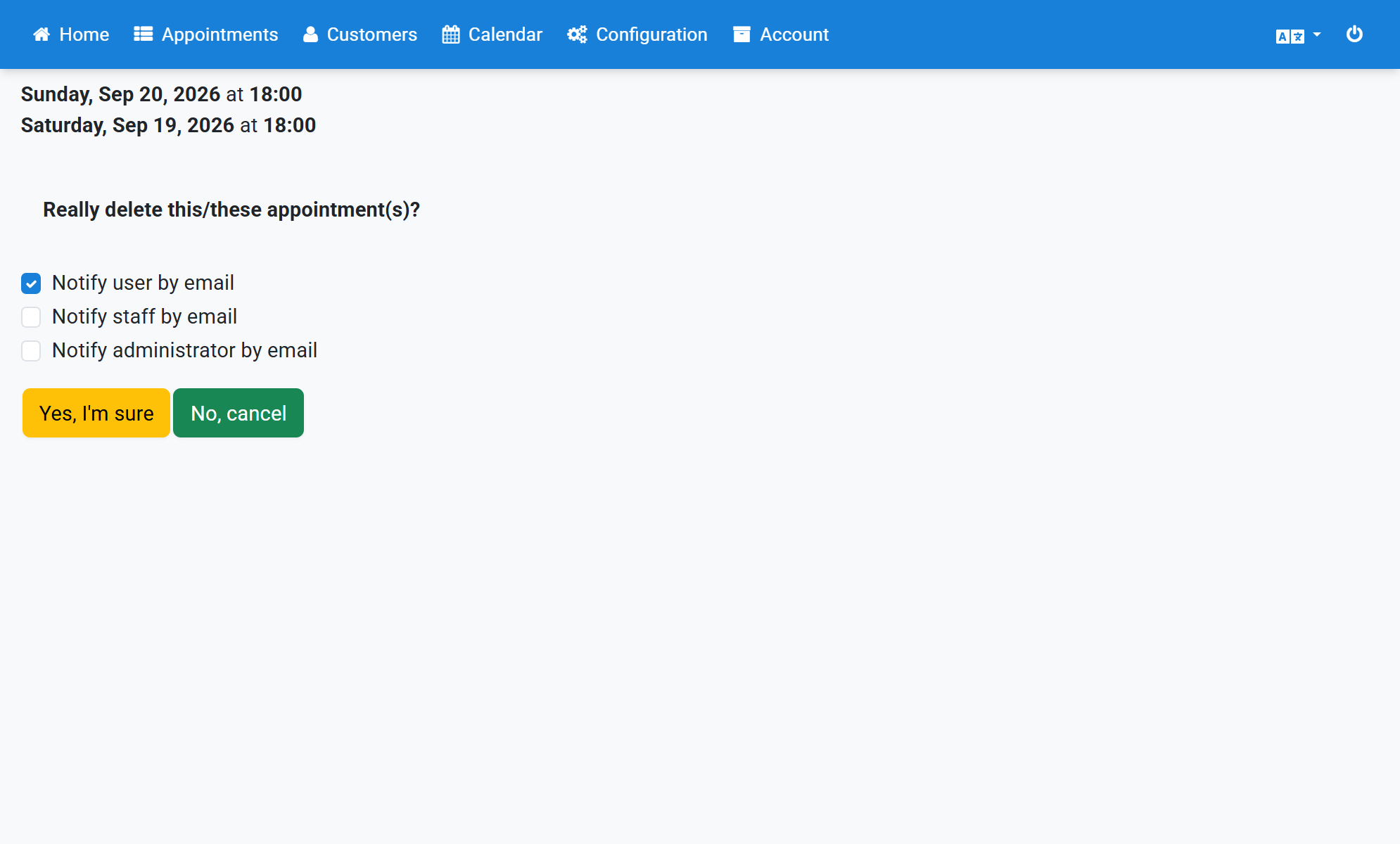
A confirmation shows that the appointments were deleted
7