Connect Digistore24
- Sign in to Digistore24.
- Select Settings / Integrations (IPN).
- Click Add new integration.
- Under For professionals, click Generic.
- Enter Appointmind as the name.
- Sign in to Appointmind and open Configuration / General settings / Payments.
- Copy the IPN URL.
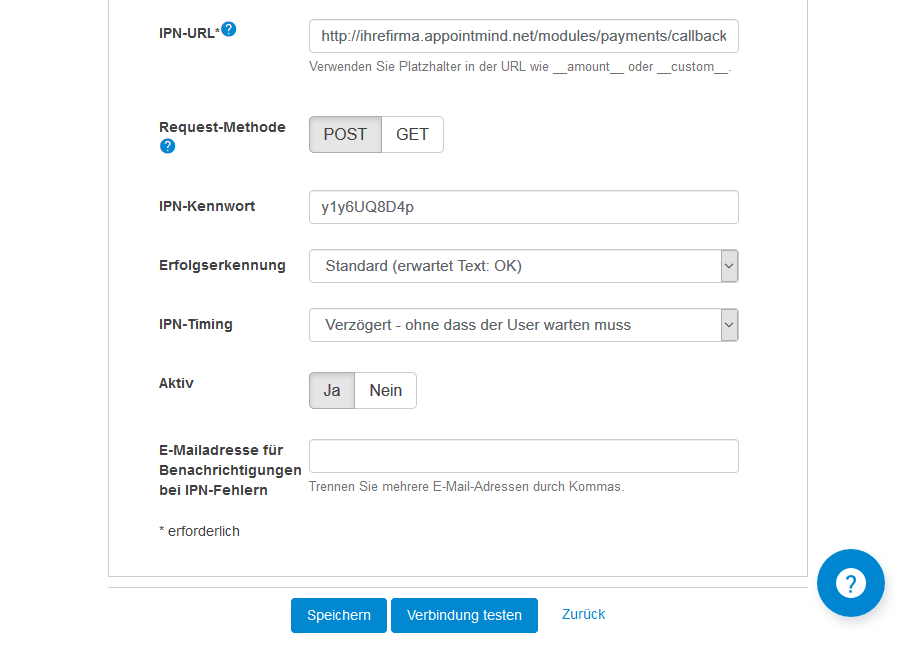
- Paste the IPN URL into Digistore24.
- Enter a secure IPN password in Digistore24.
- Enter the same IPN password in Appointmind.
- Save the changes in Appointmind.
- Save the changes in Digistore24.
Screenshots
Sign in to Digistore24
1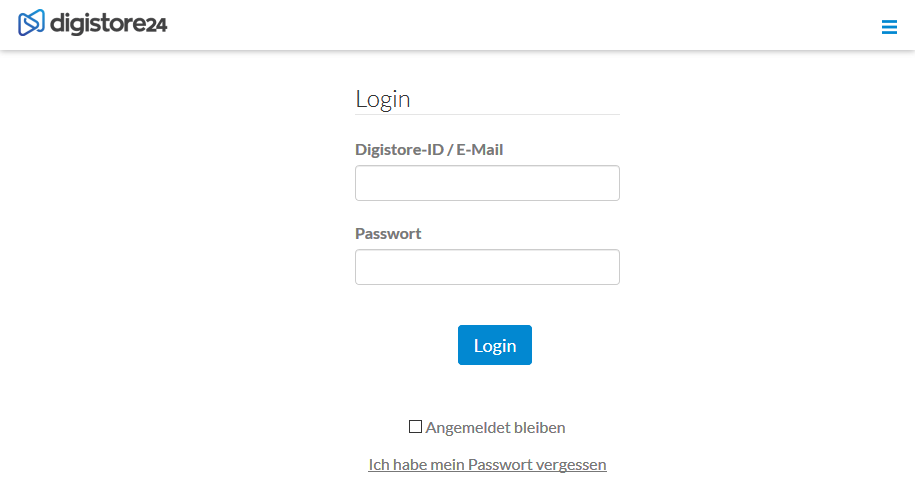
Select Settings / Integrations (IPN)
2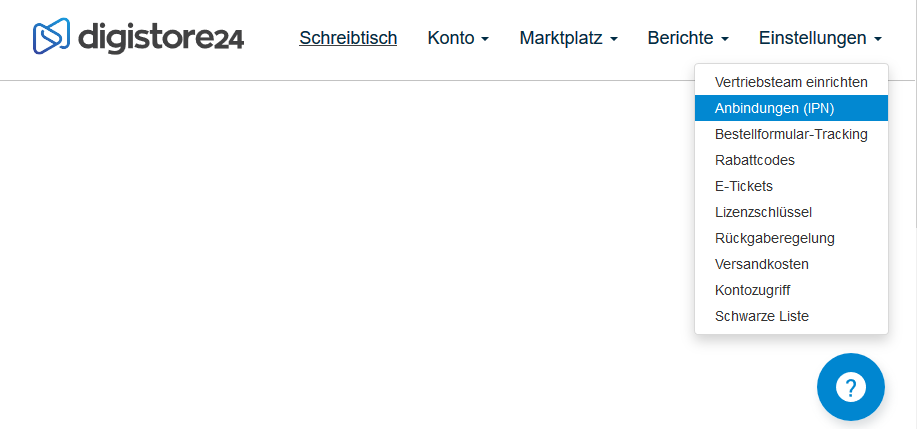
Click Add new integration
3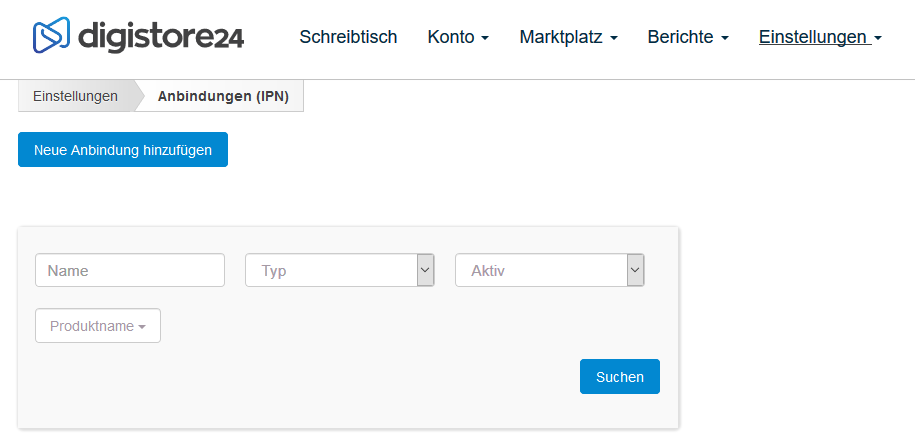
Under For professionals, click Generic
4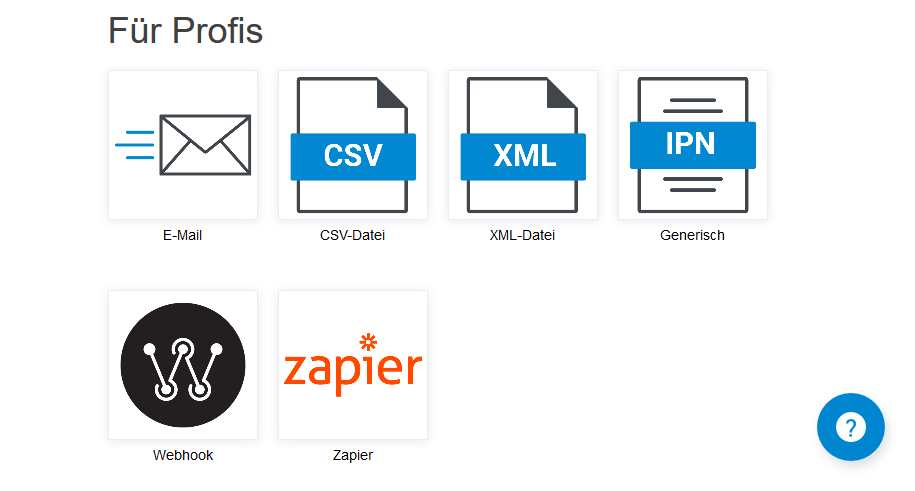
Enter Appointmind as the name
5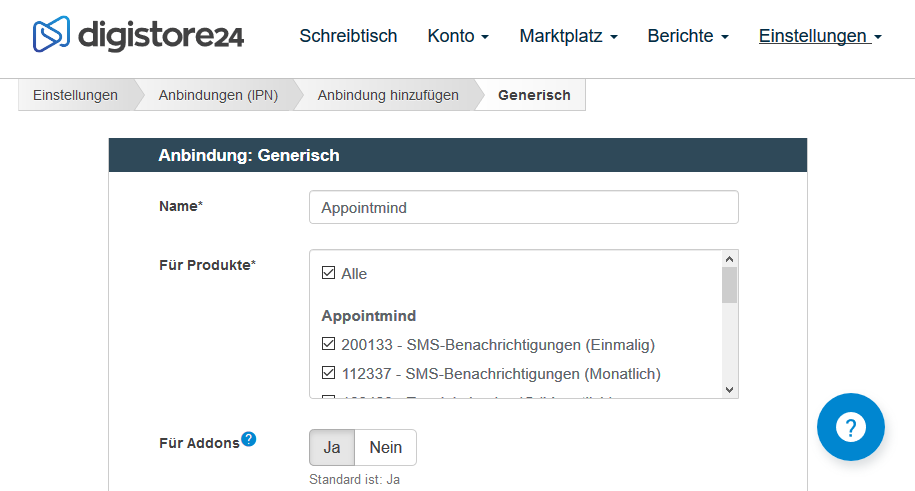
Sign in to Appointmind and open Configuration / General settings / Payments
6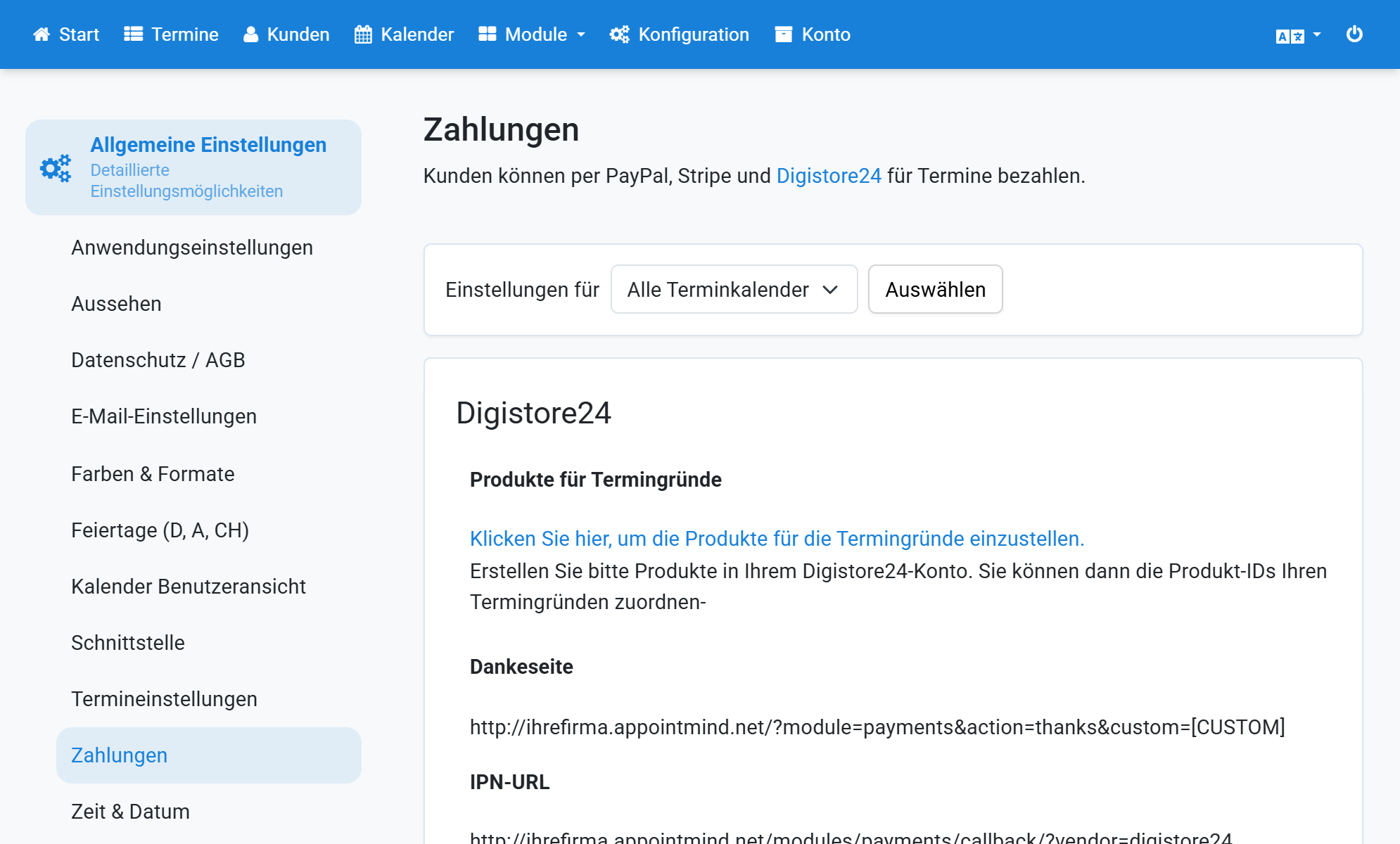
Copy the IPN URL
7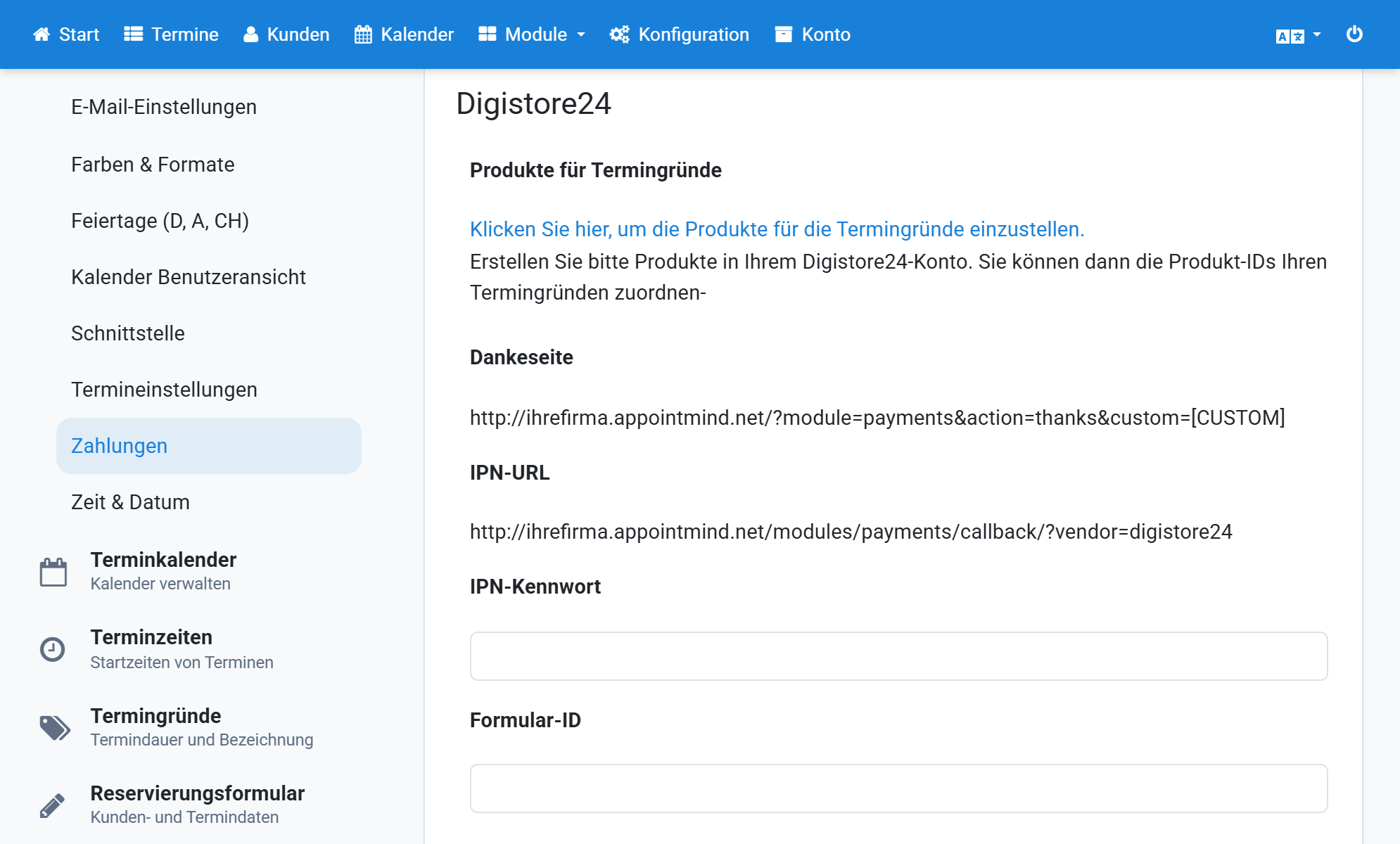
Paste the IPN URL into Digistore24
8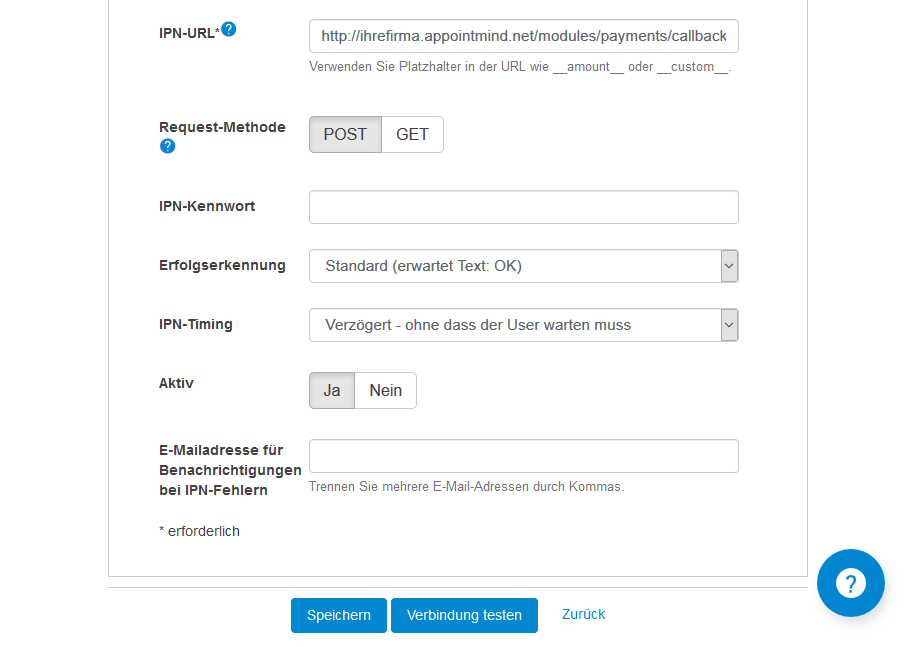
Enter a secure IPN password in Digistore24
9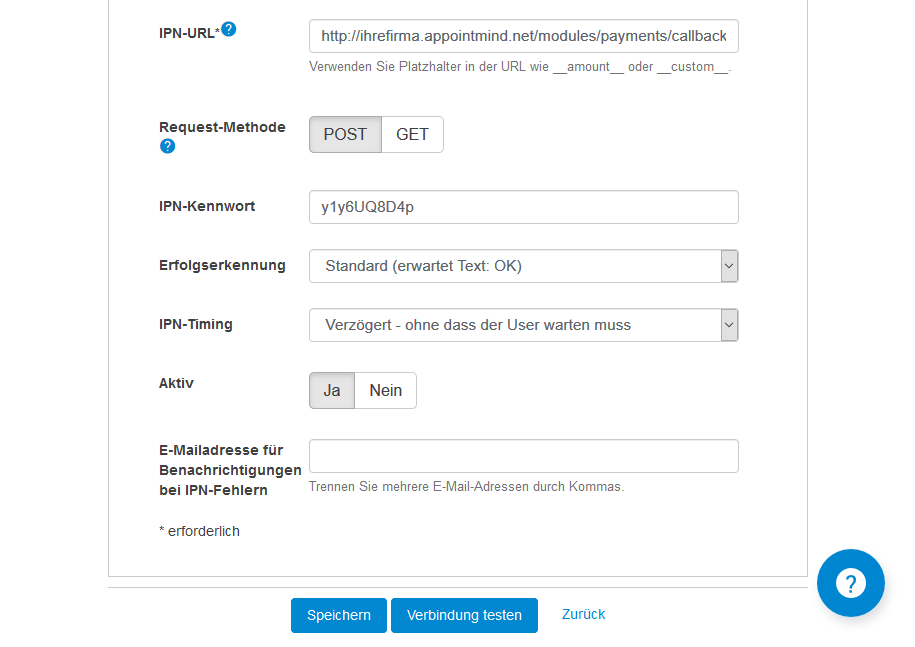
Enter the same IPN password in Appointmind
10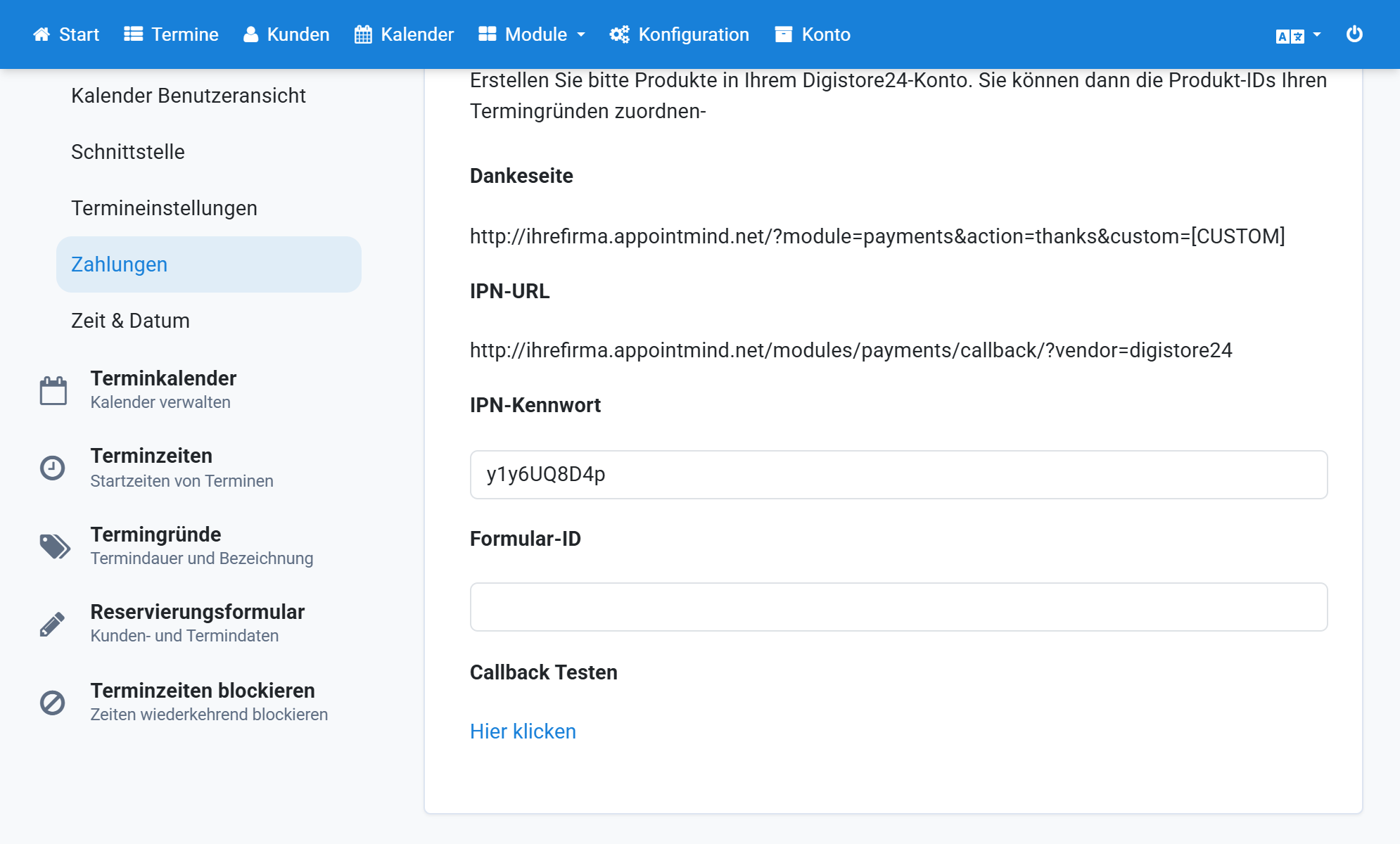
Save the changes in Appointmind
11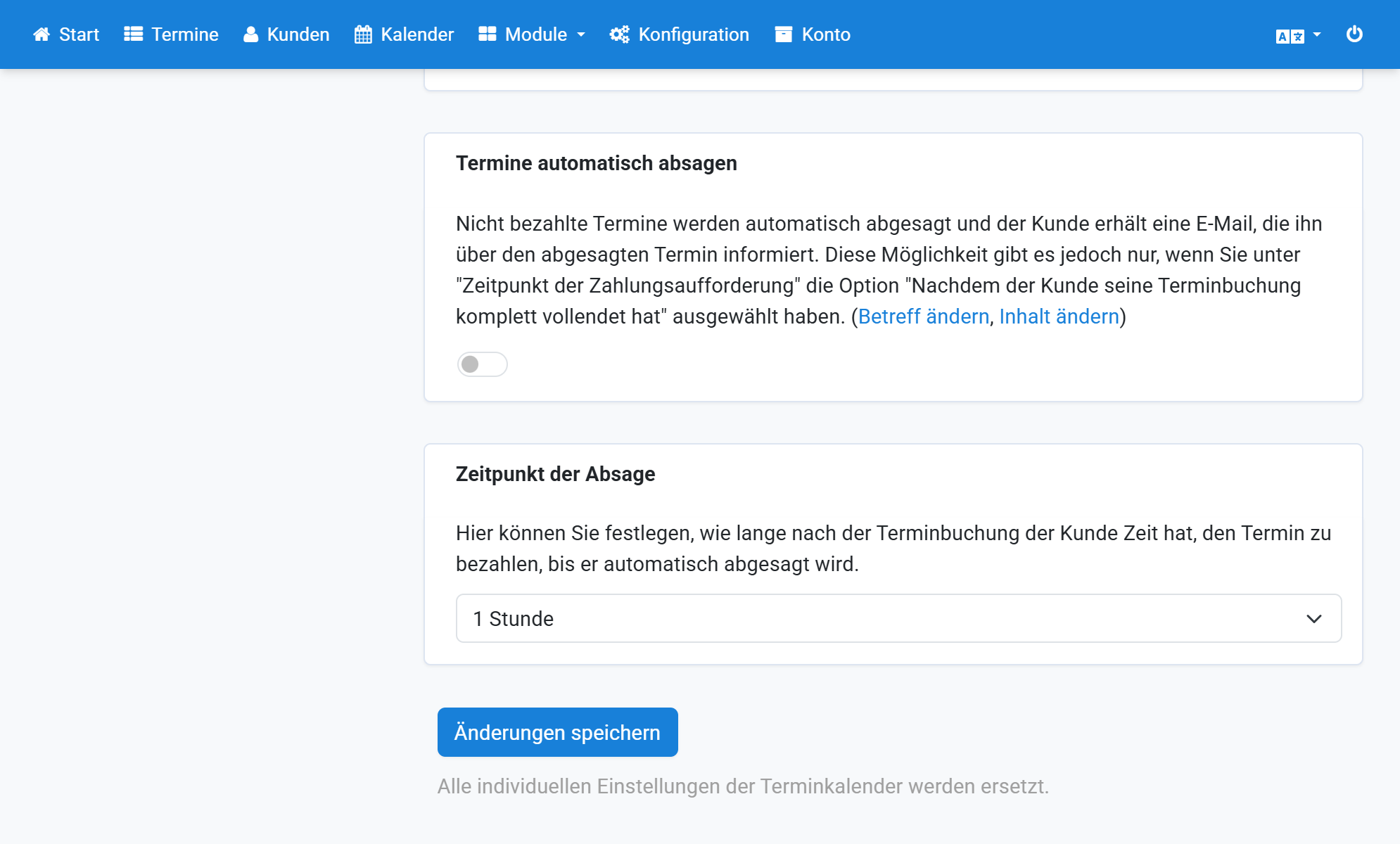
Save the changes in Digistore24
12