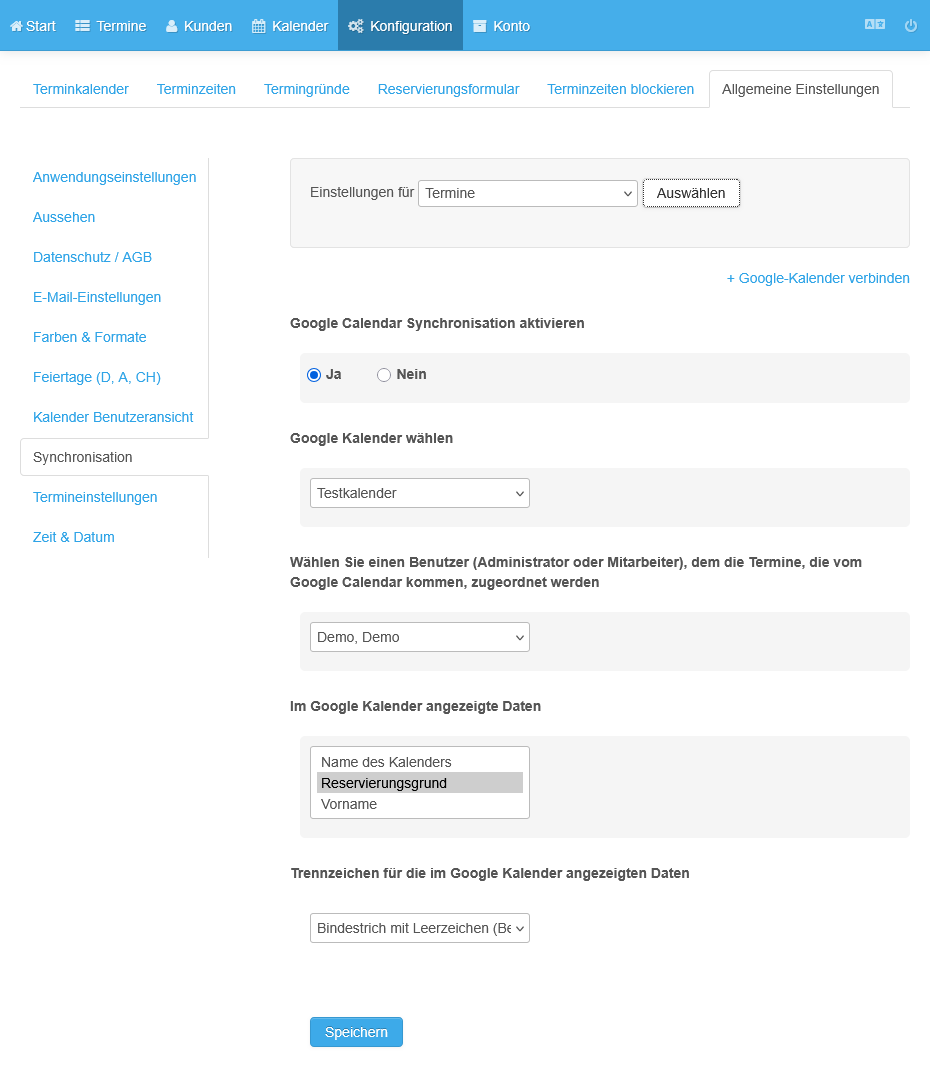
Synchronize Google Calendar
Appointments are synchronized automatically with any Google calendar
- Select Synchronization in General settings.
- Select your calendar.
- Click Grant permission.
- Click Advanced because Google has not yet completed its app review.
- Click Open appointmind.net.
- Click Continue.
- Close the window.
- Enable synchronization.
- Select the Google calendar to synchronize.
- Save the settings.
Screenshots
Select Synchronization in General settings
1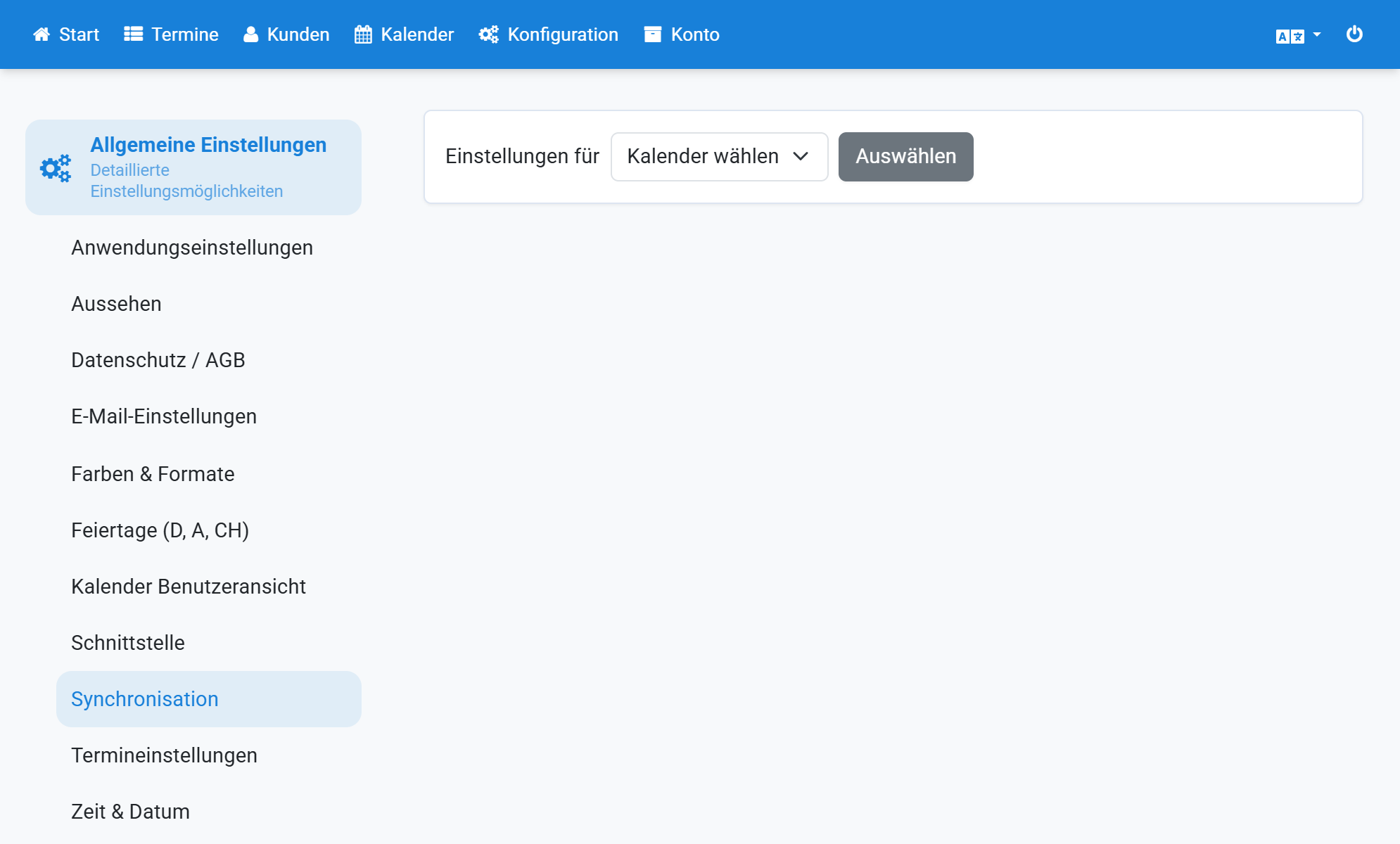
Select your calendar
2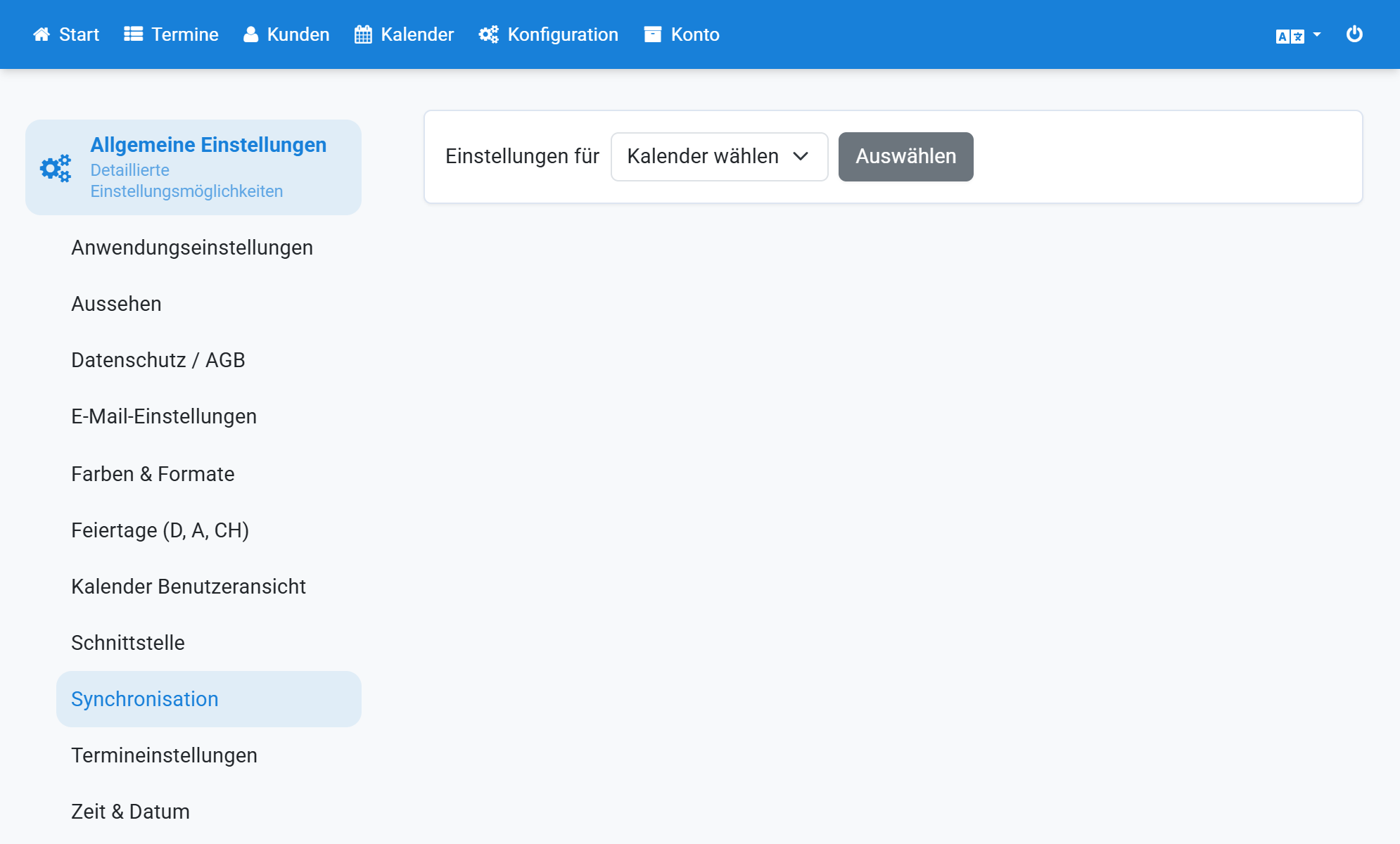
Click Grant permission
3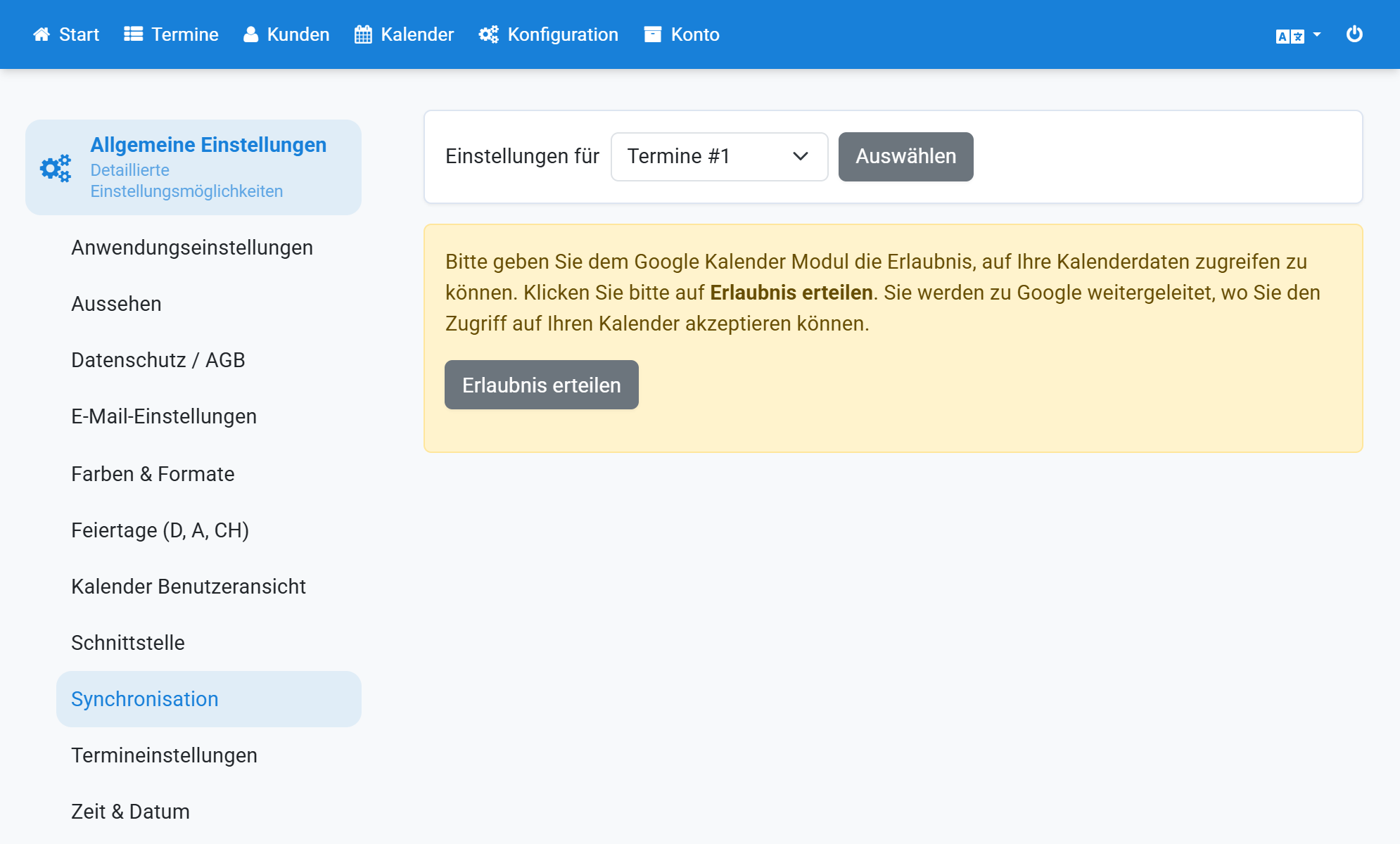
Click Advanced because Google has not yet completed its app review
4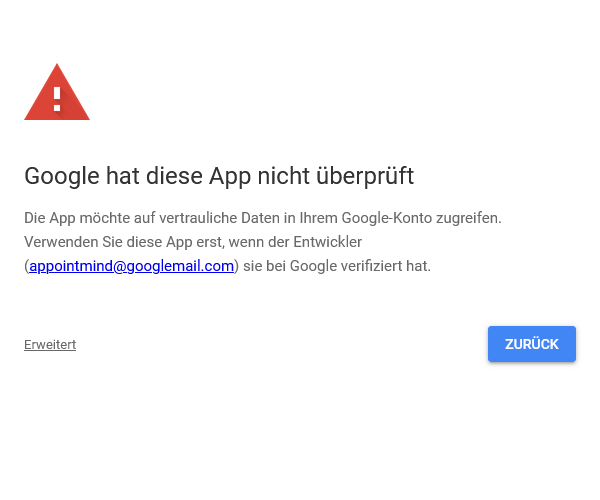
Click Open appointmind.net
5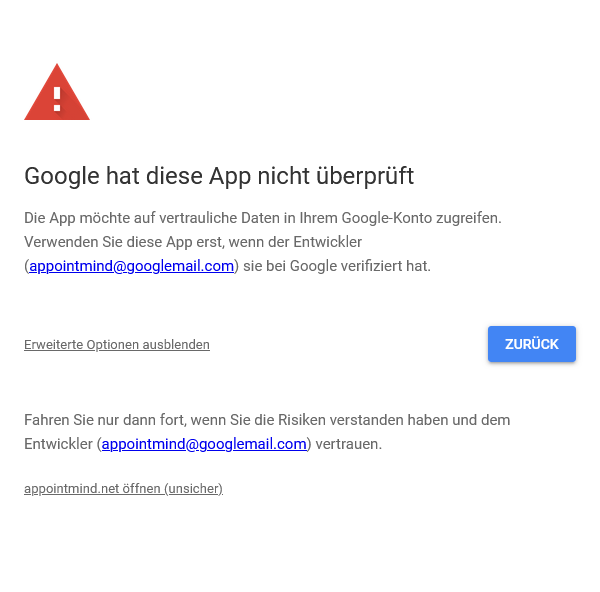
Click Continue
6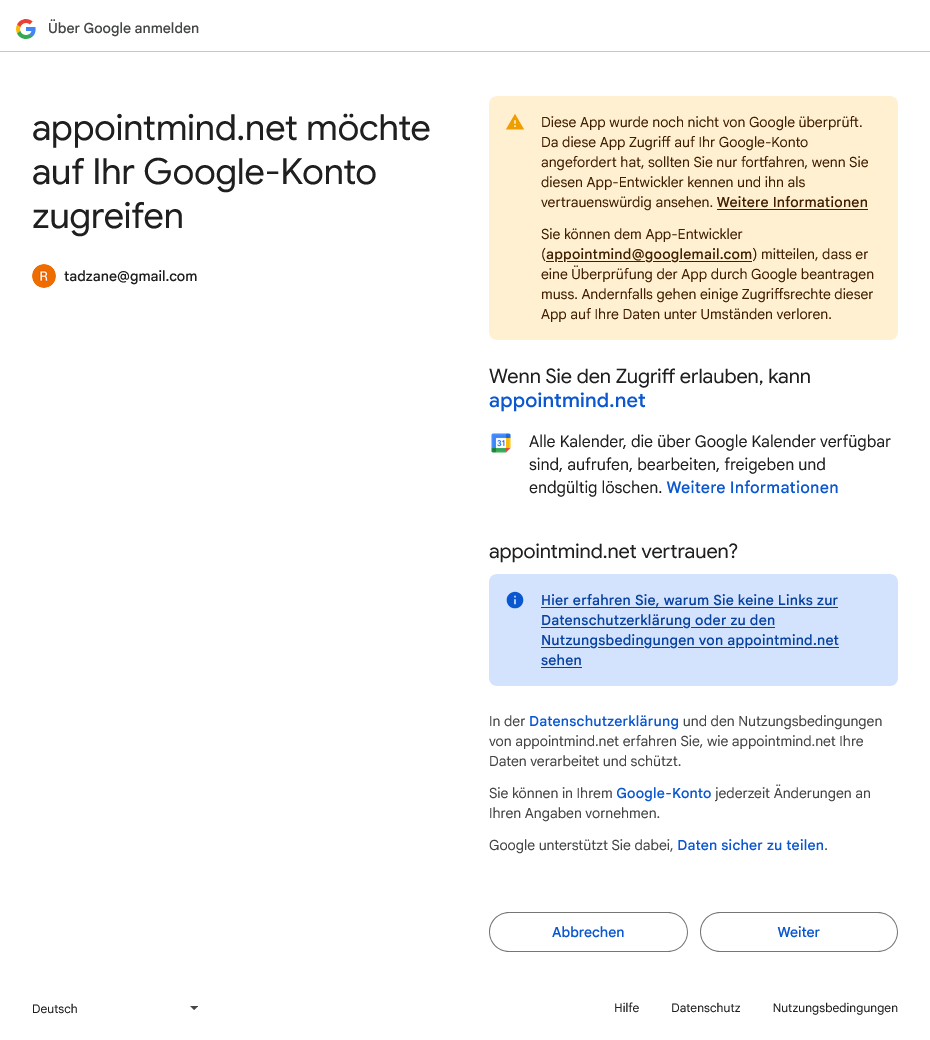
Close the window
7
Enable synchronization
8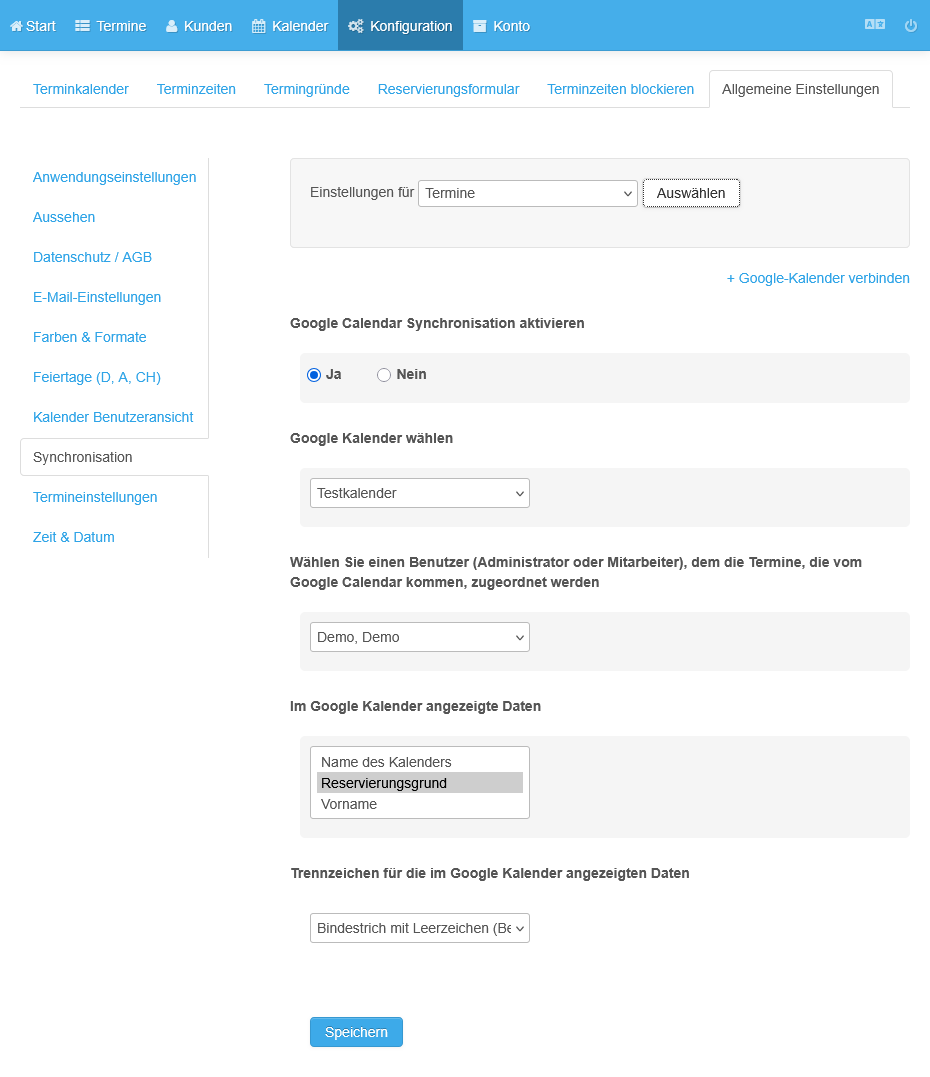
Select the Google calendar to synchronize
9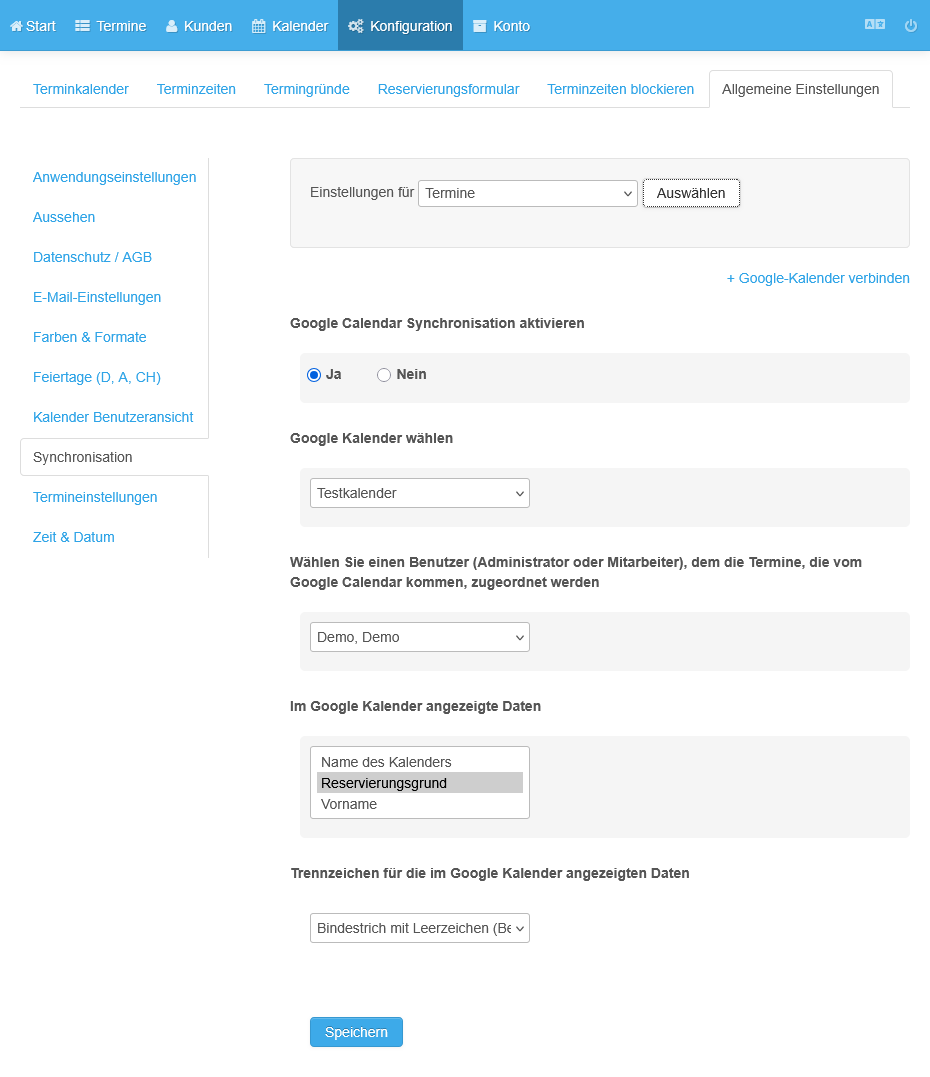
Save the settings
10