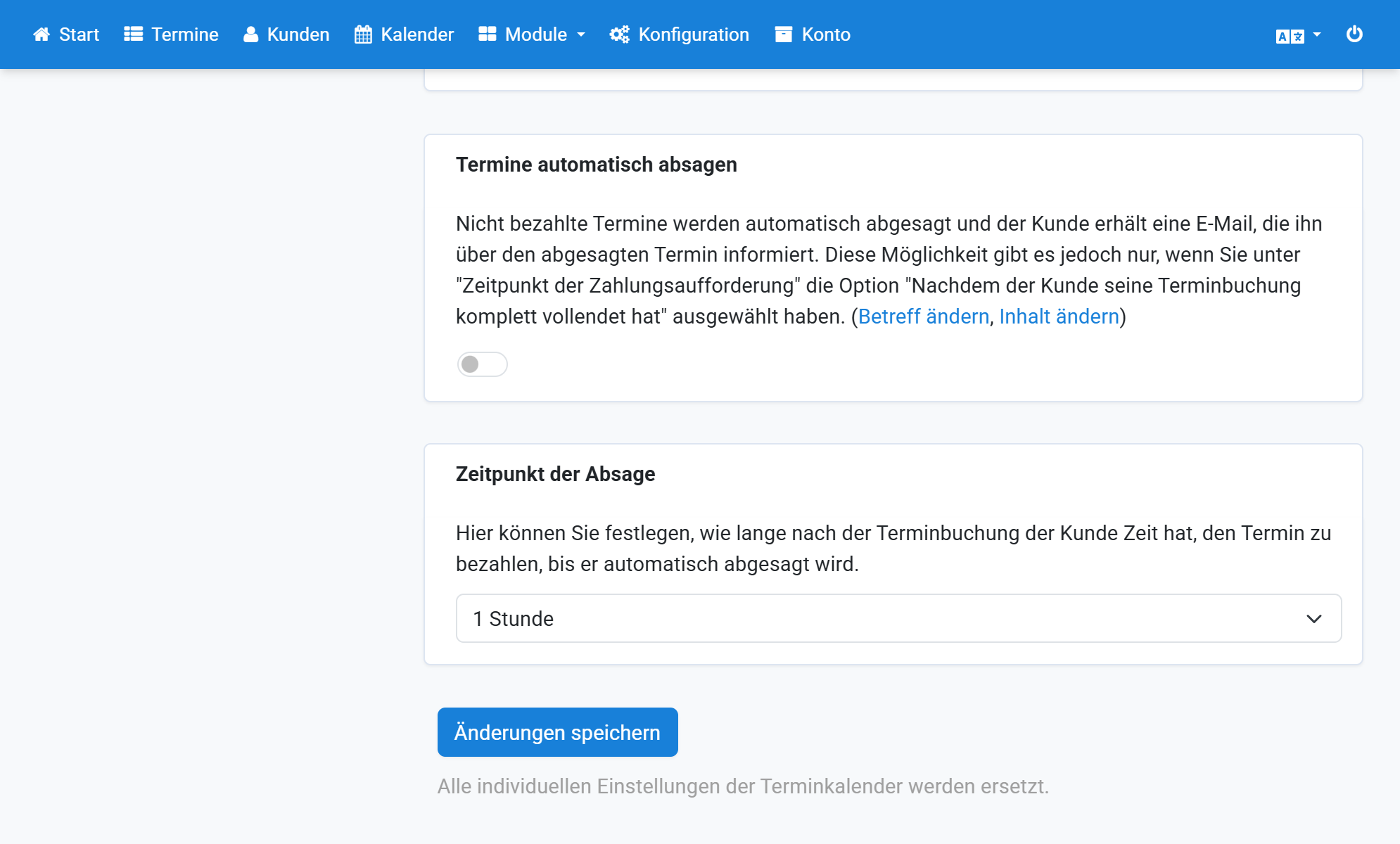
Set Up PayPal
- Sign in to PayPal and open Profile and settings.
- Select Website payment solutions.
- Edit Instant Payment Notification.
- Open the instant-payment-notification settings.
- In Appointmind, open Configuration / General settings / Payments.
- Enable PayPal under Payment options.
- Enter your PayPal email address.
- Copy the notification URL.
- Paste the notification URL into PayPal.
- Enable Receive Instant Payment Notification.
- Save the changes in PayPal.
- Save the changes in Appointmind.
Screenshots
Sign in to PayPal and open Profile and settings
1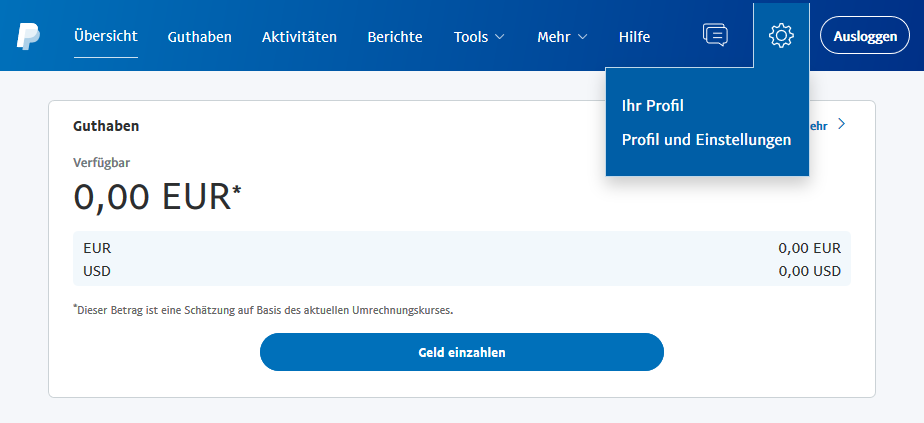
Select Website payment solutions
2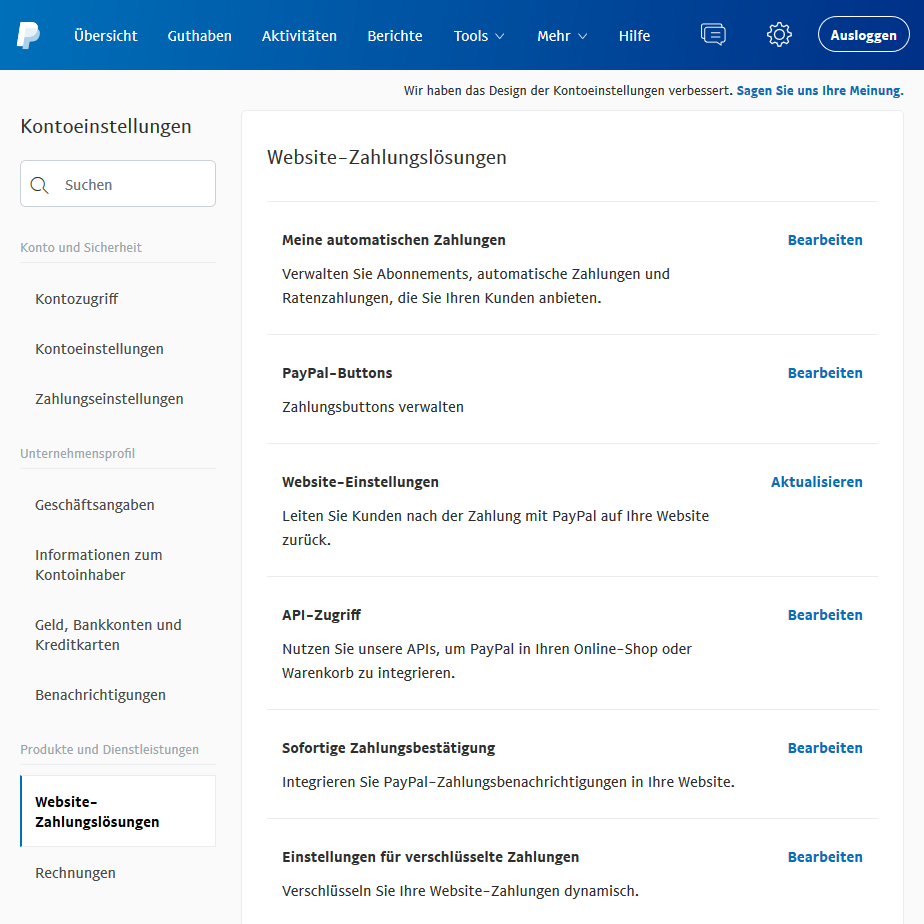
Edit Instant Payment Notification
3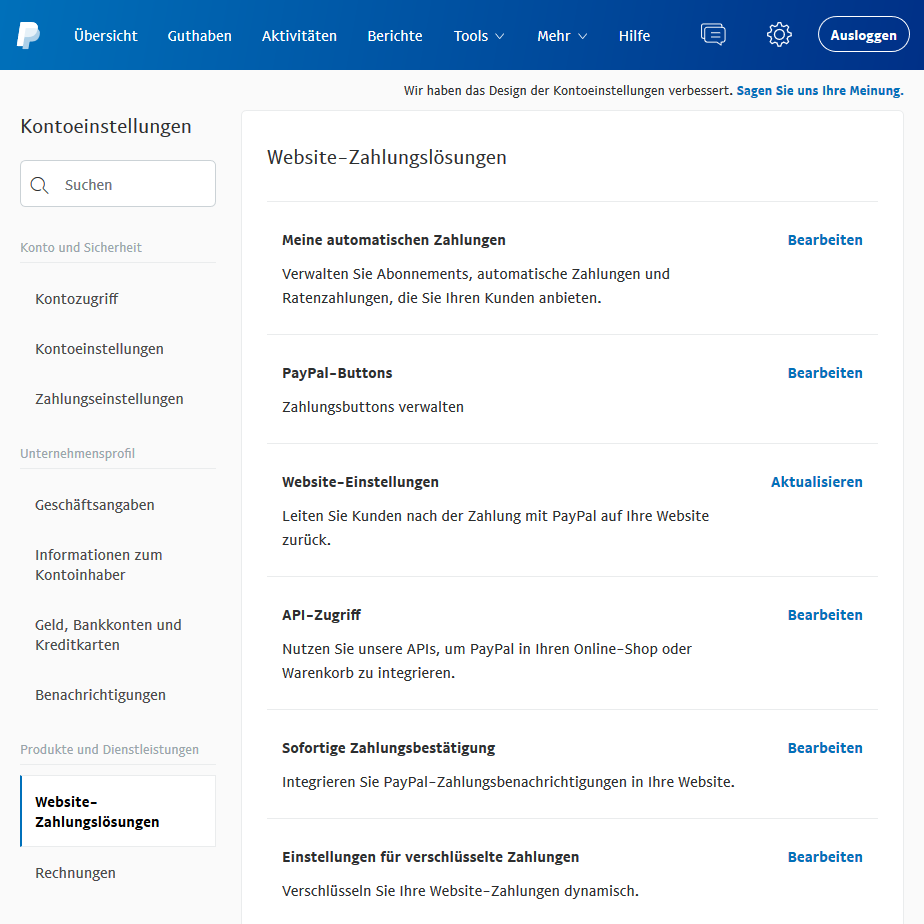
Open the instant-payment-notification settings
4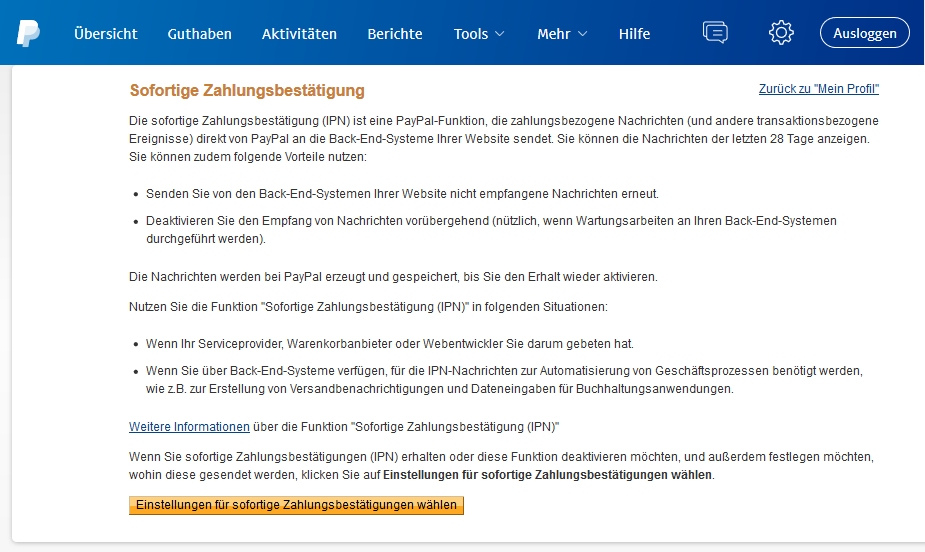
In Appointmind, open Configuration / General settings / Payments
5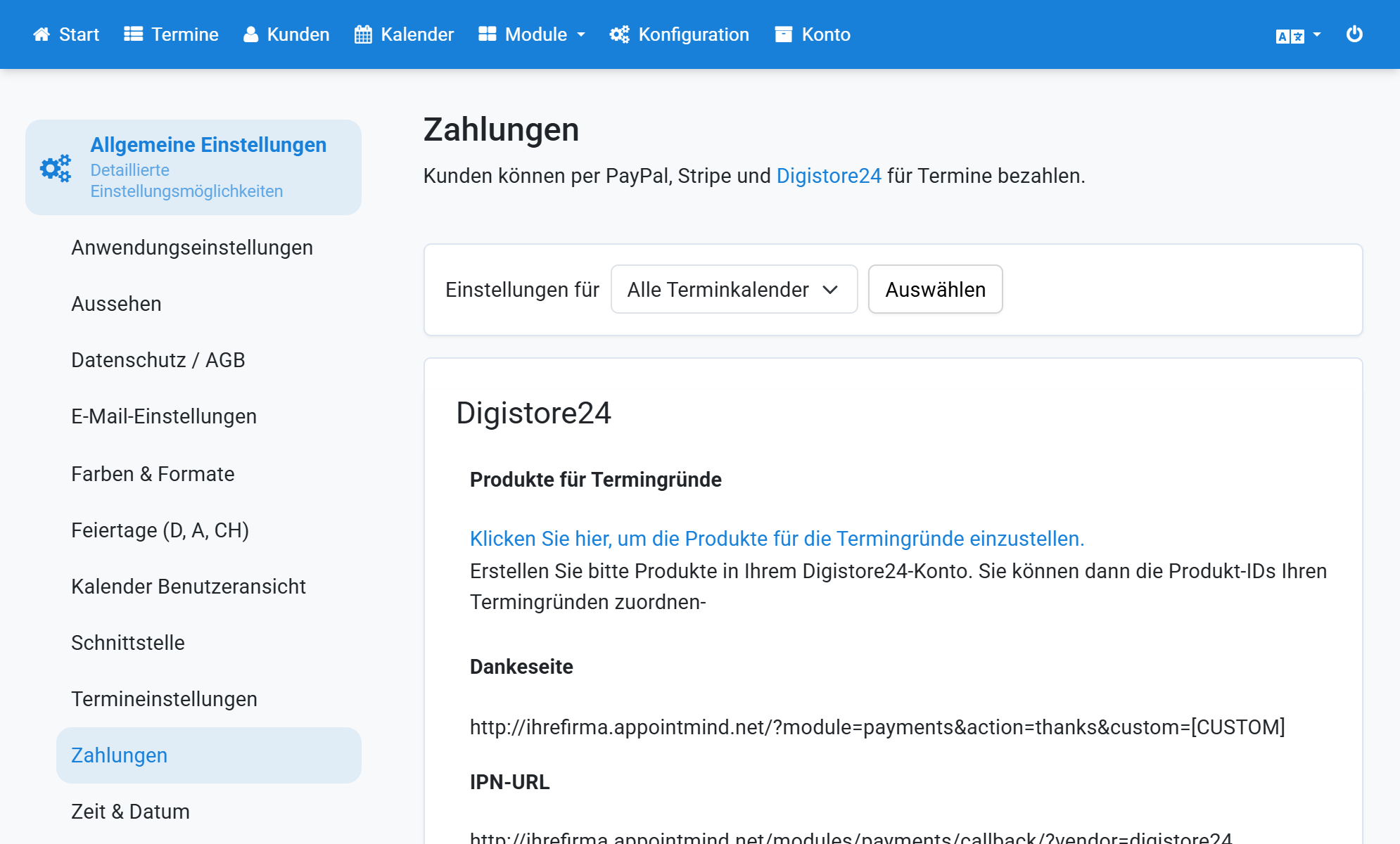
Enable PayPal under Payment options
6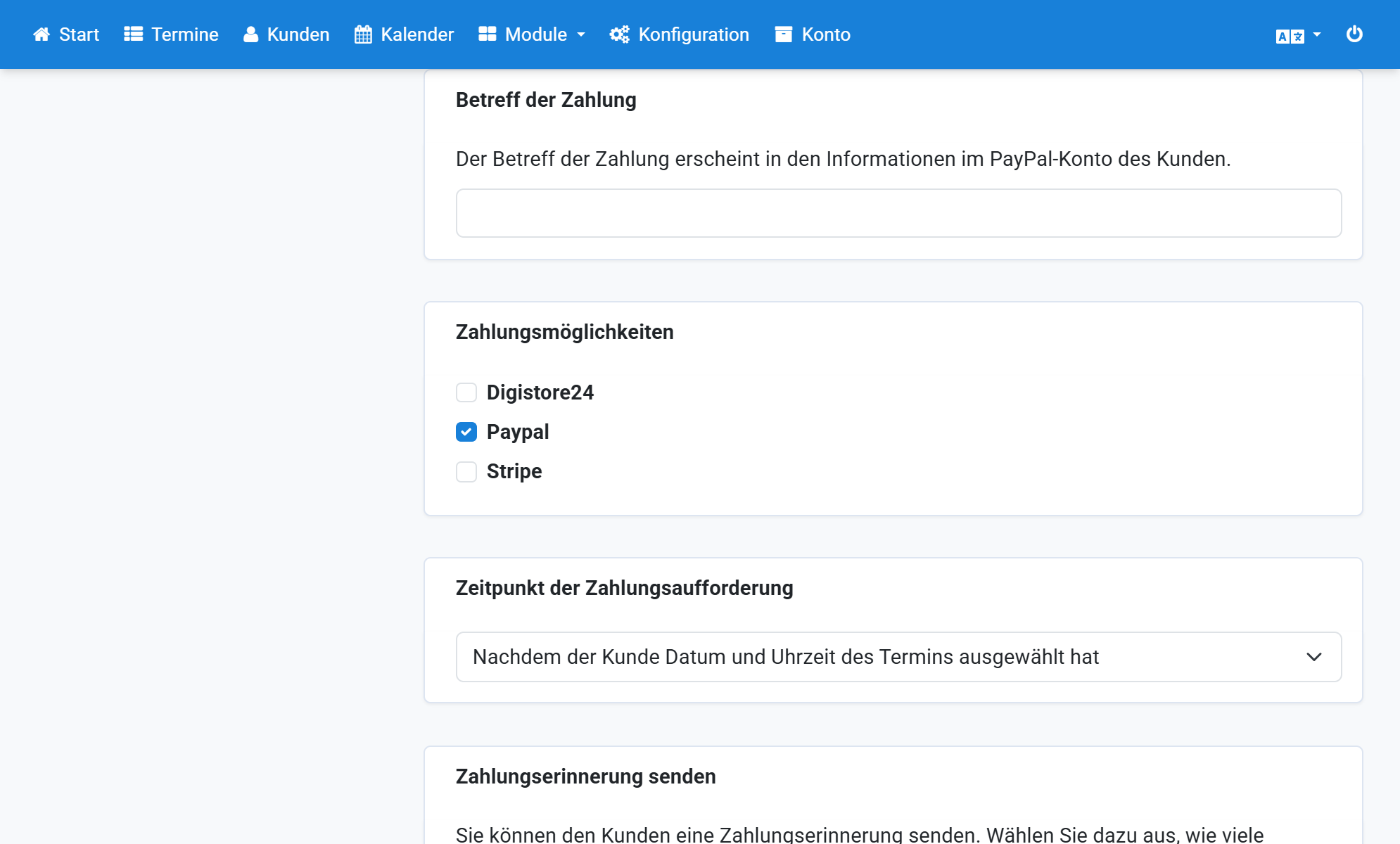
Enter your PayPal email address
7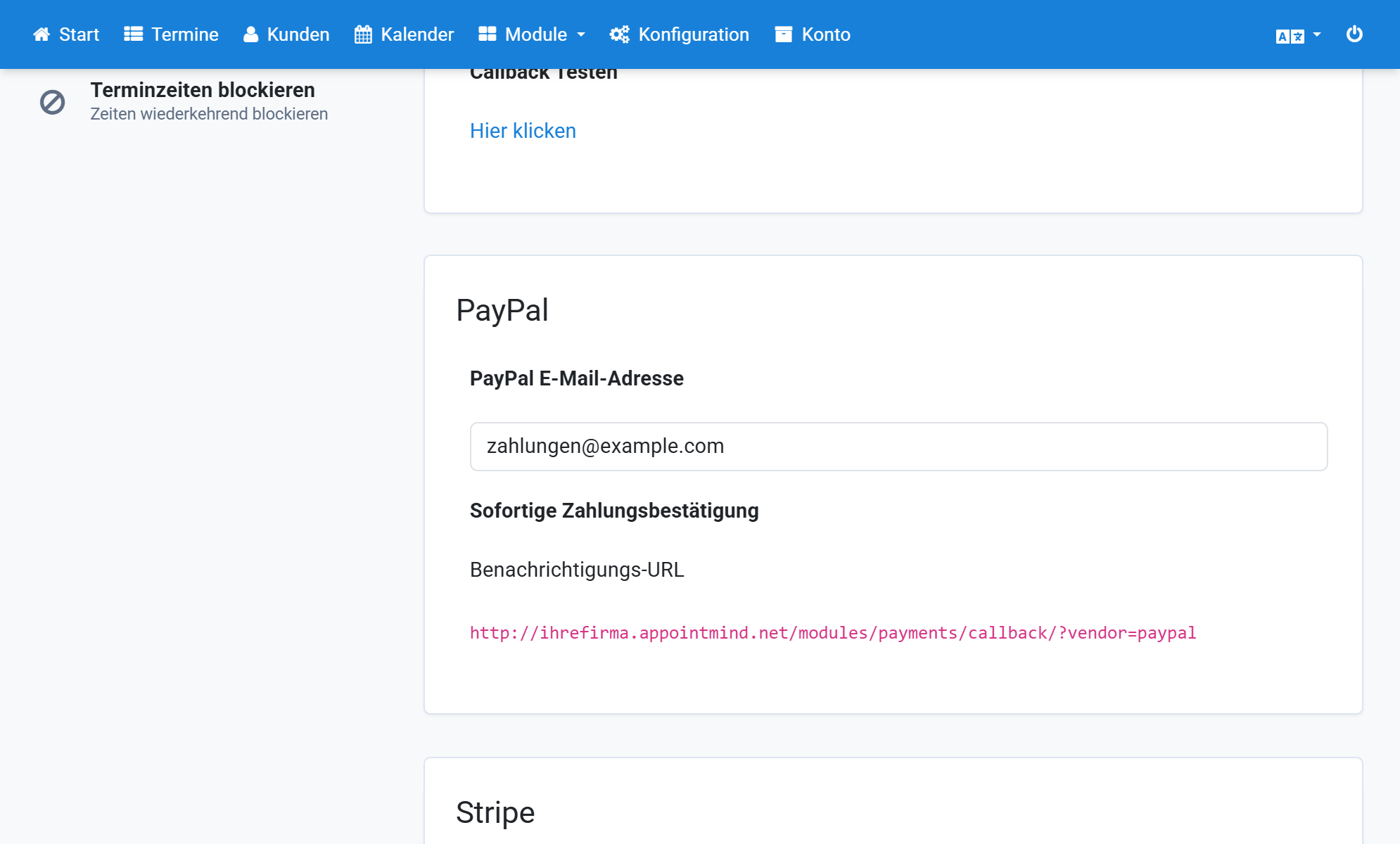
Copy the notification URL
8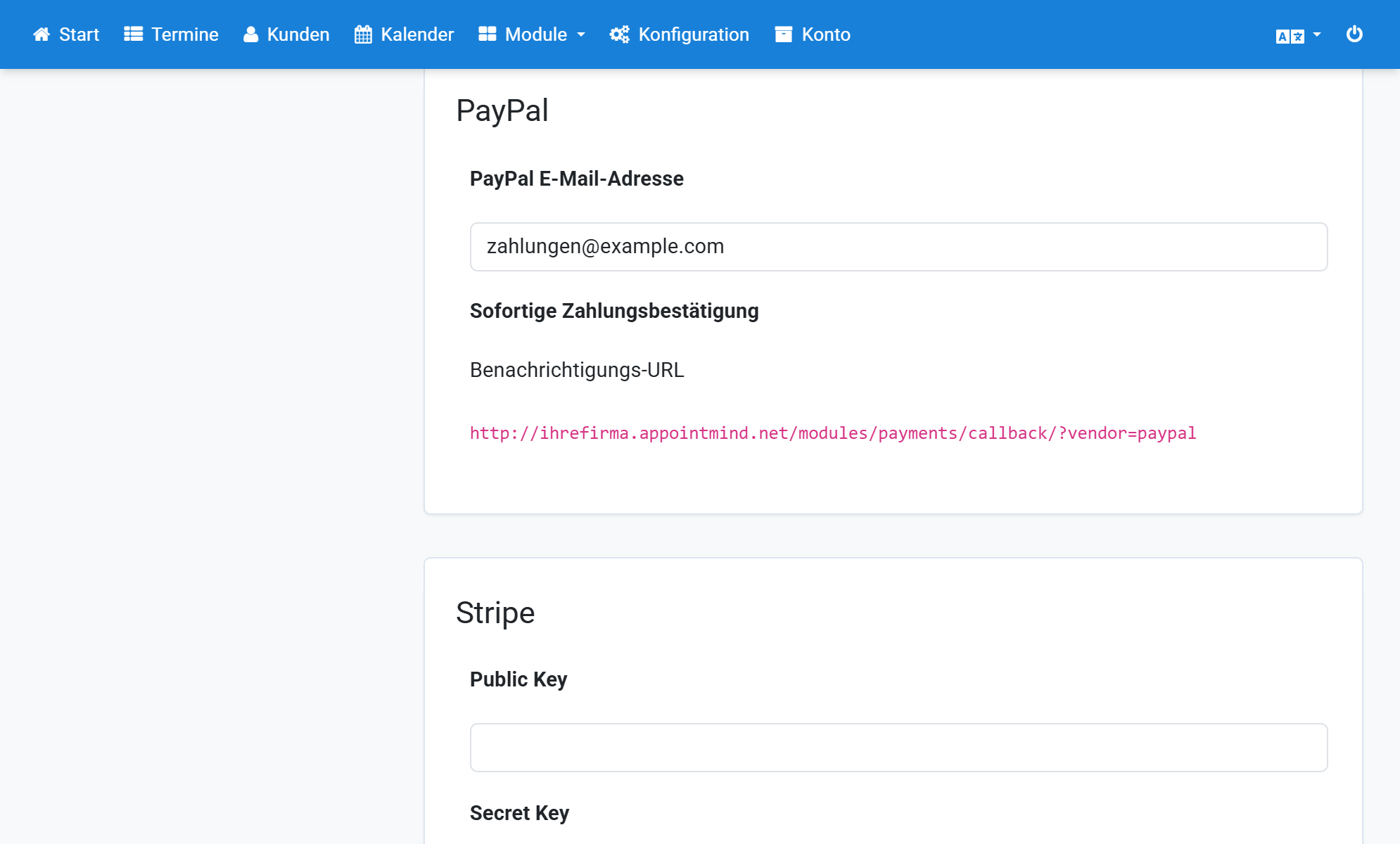
Paste the notification URL into PayPal
9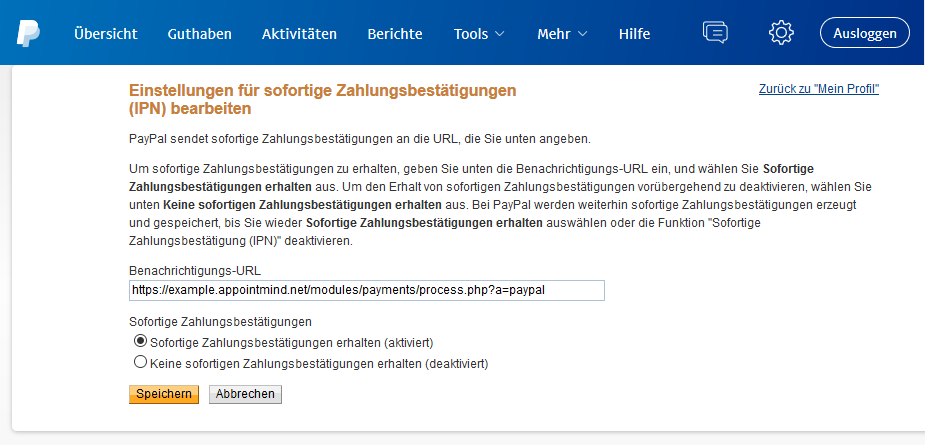
Enable Receive Instant Payment Notification
10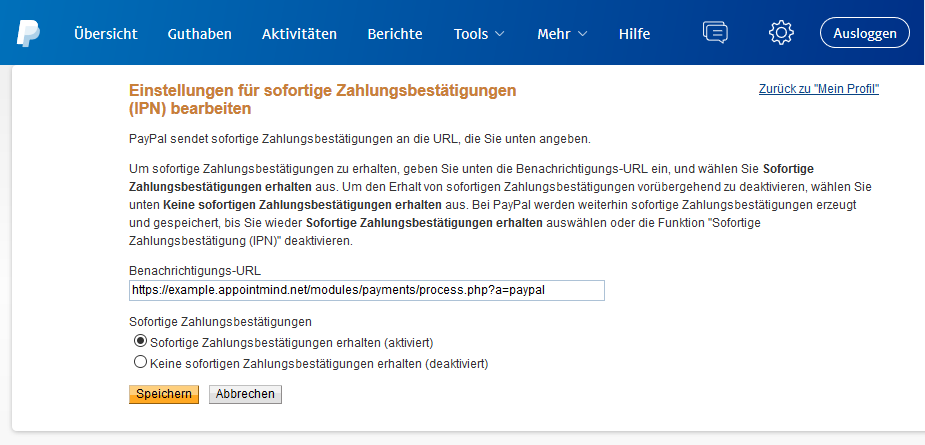
Save the changes in PayPal
11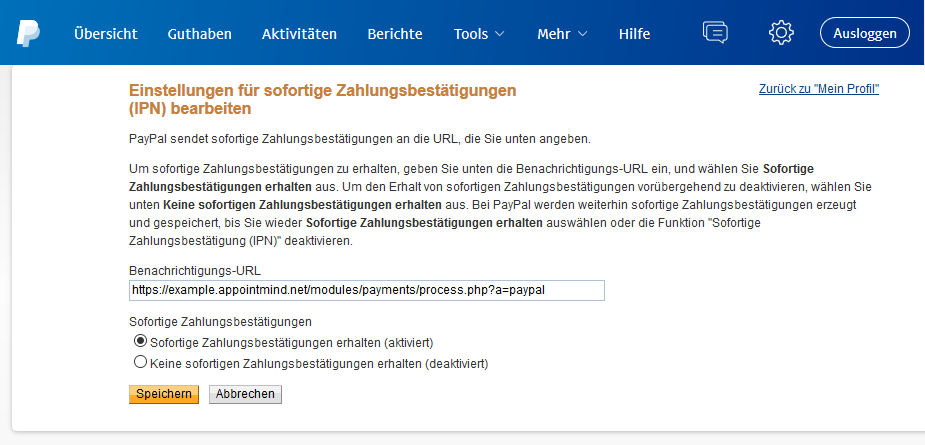
Save the changes in Appointmind
12