Embed Appointment Scheduling in Weebly
- Log in to Weebly.
- Click Seiten in the navigation bar.
- Click the plus sign.
- Select Standardseite.
- Enter a page name.
- Click Speichern.
- Click Aufbau in the navigation bar.
- Drag the Eingebetteter Code element onto the page.
- Click Configuration in the Appointmind navigation bar.
- Click Appointment Calendar in the subnavigation bar.
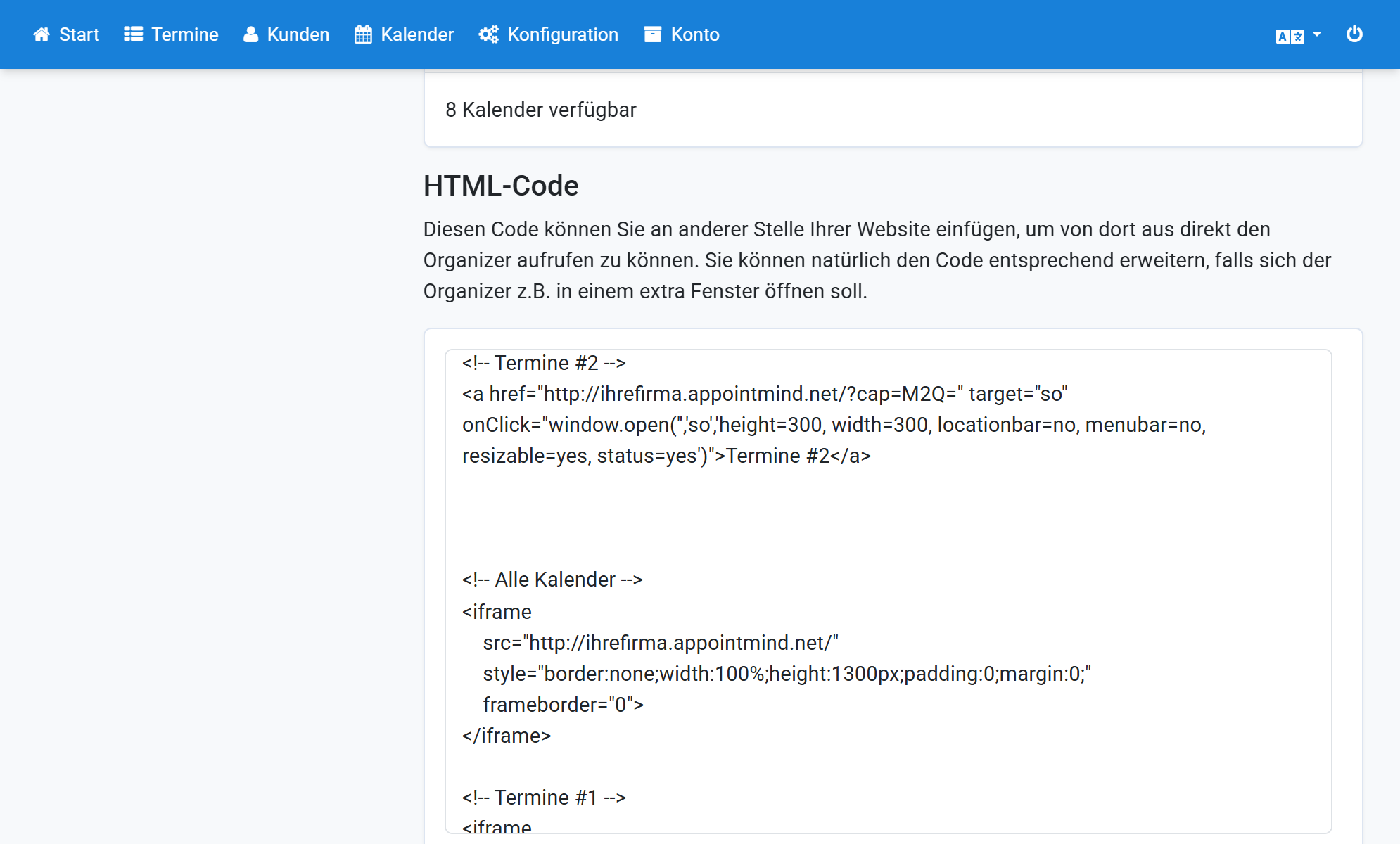
- Scroll down to the HTML Code section.
- Scroll to the iframe code in the text field.
- Copy the code and paste it into Weebly.
Screenshots
Log in to Weebly
1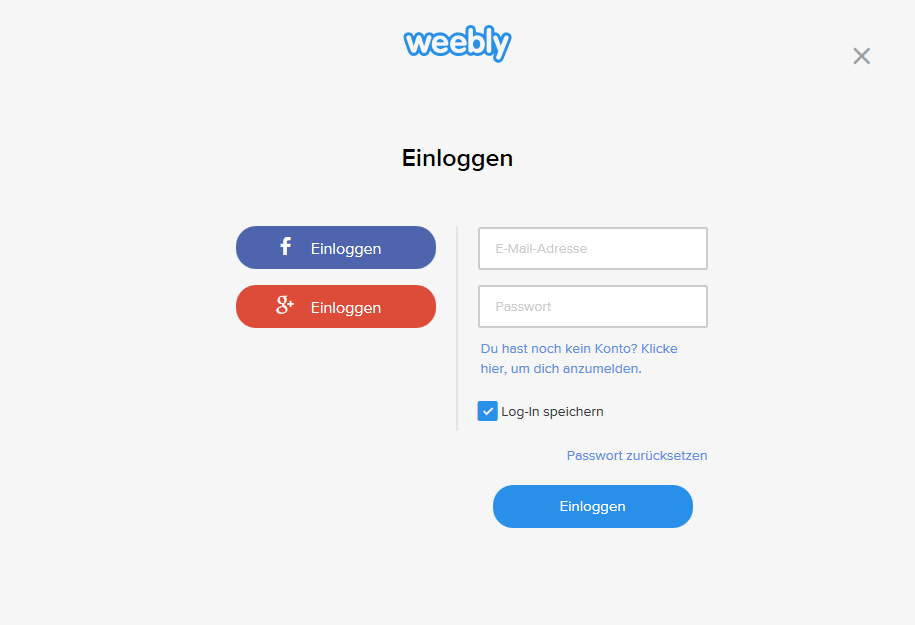
Click Seiten in the navigation bar
2
Click the plus sign
3
Select Standardseite
4
Enter a page name
5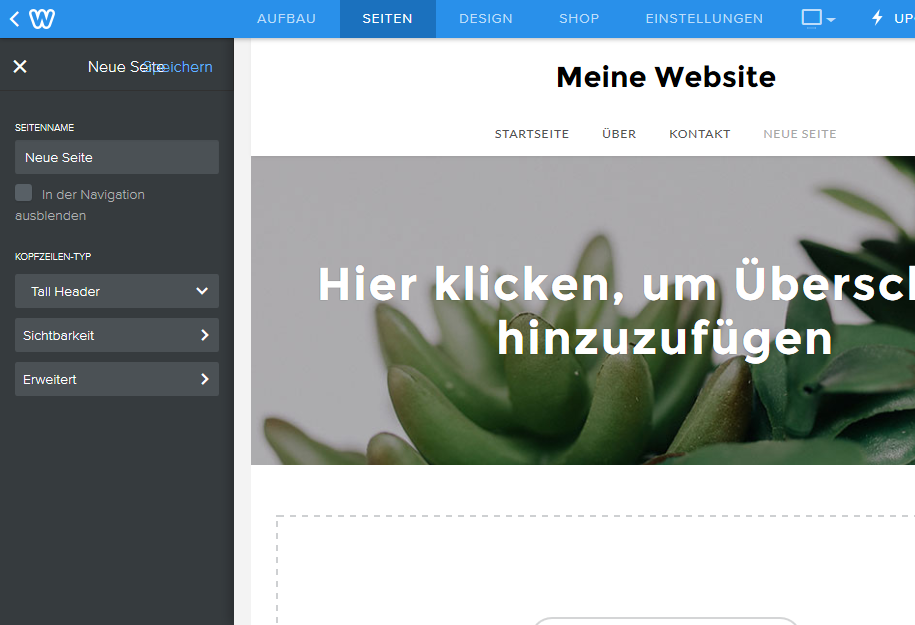
Click Speichern
6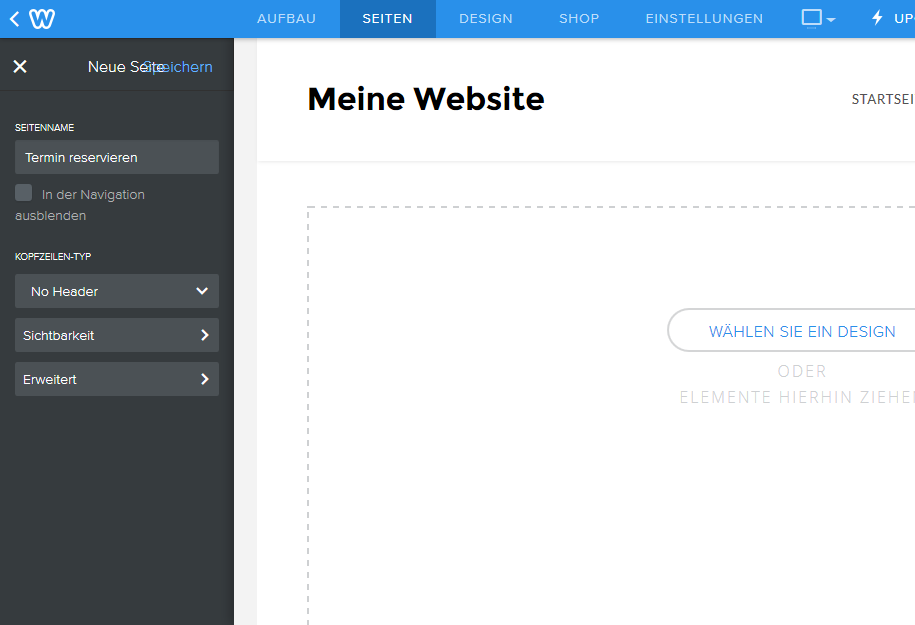
Click Aufbau in the navigation bar
7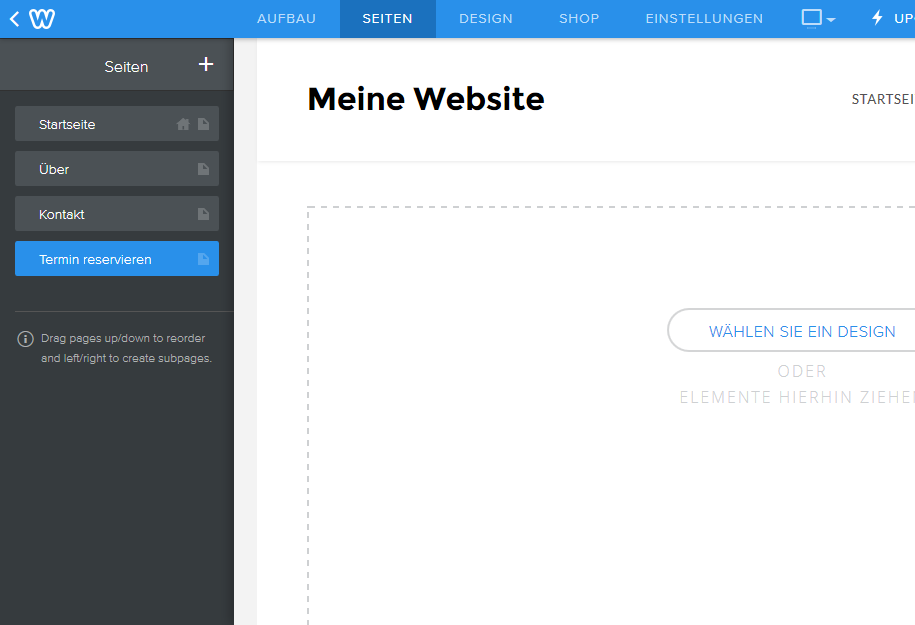
Drag the Eingebetteter Code element onto the page
8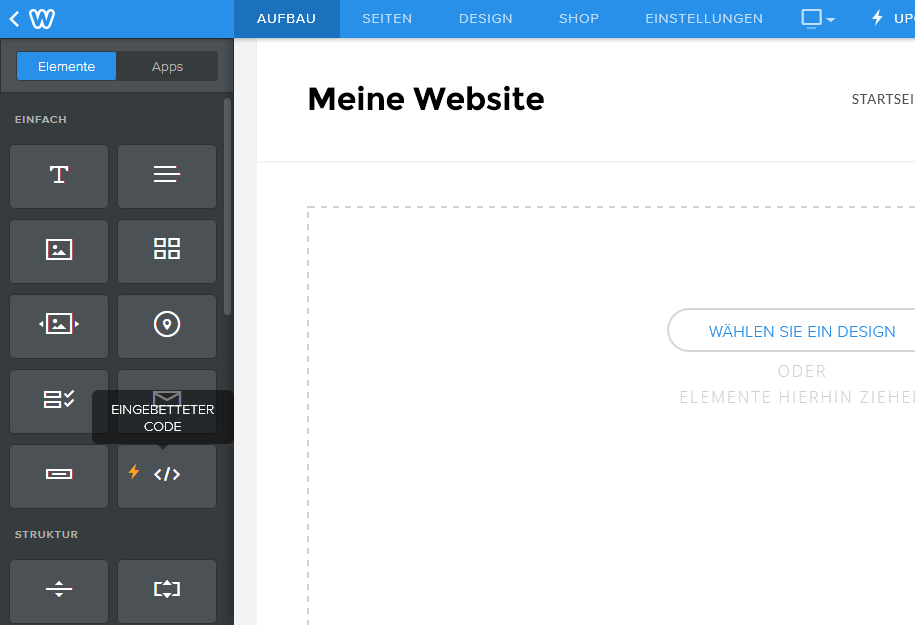
Click Configuration in the Appointmind navigation bar
9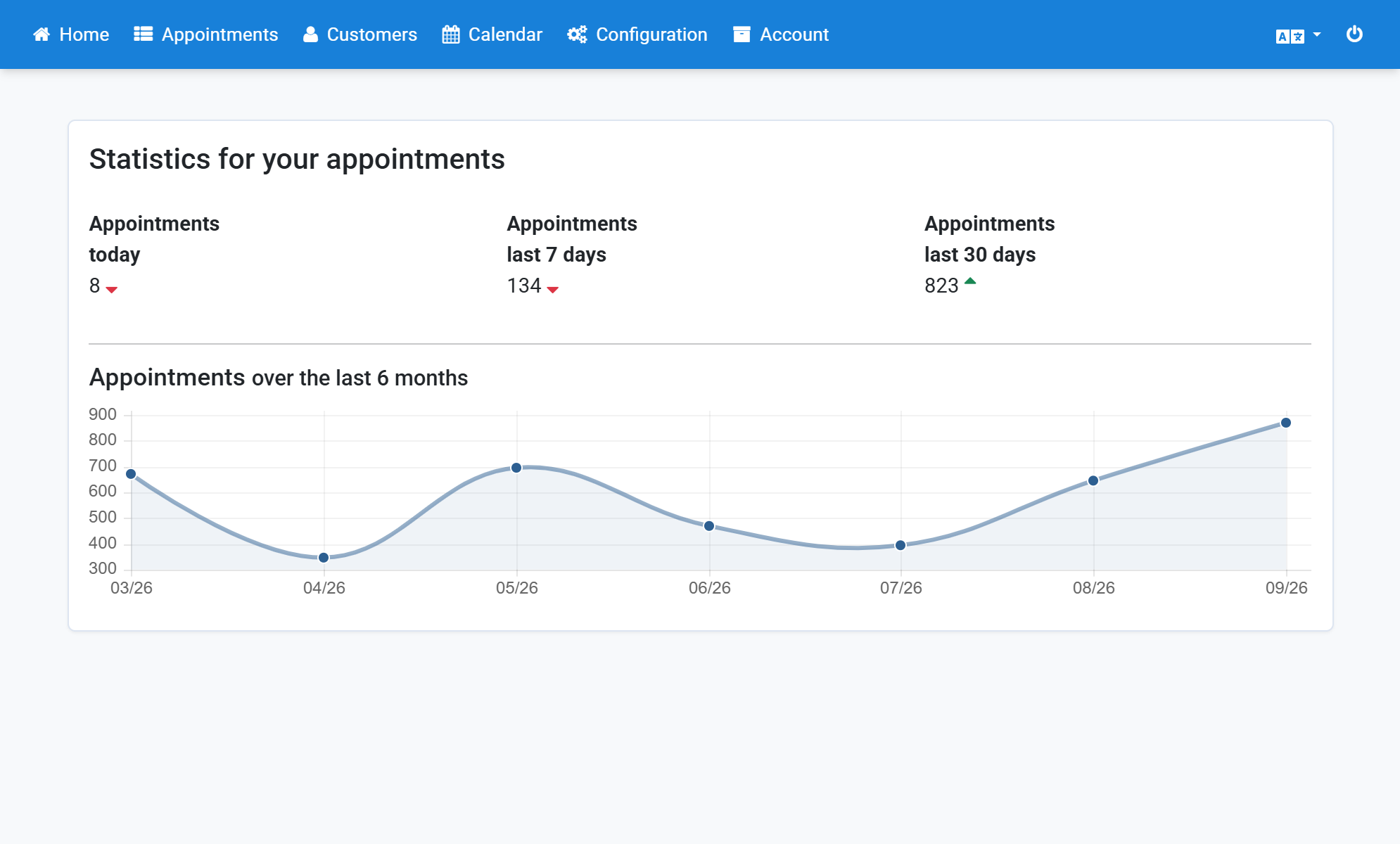
Click Appointment Calendar in the subnavigation bar
10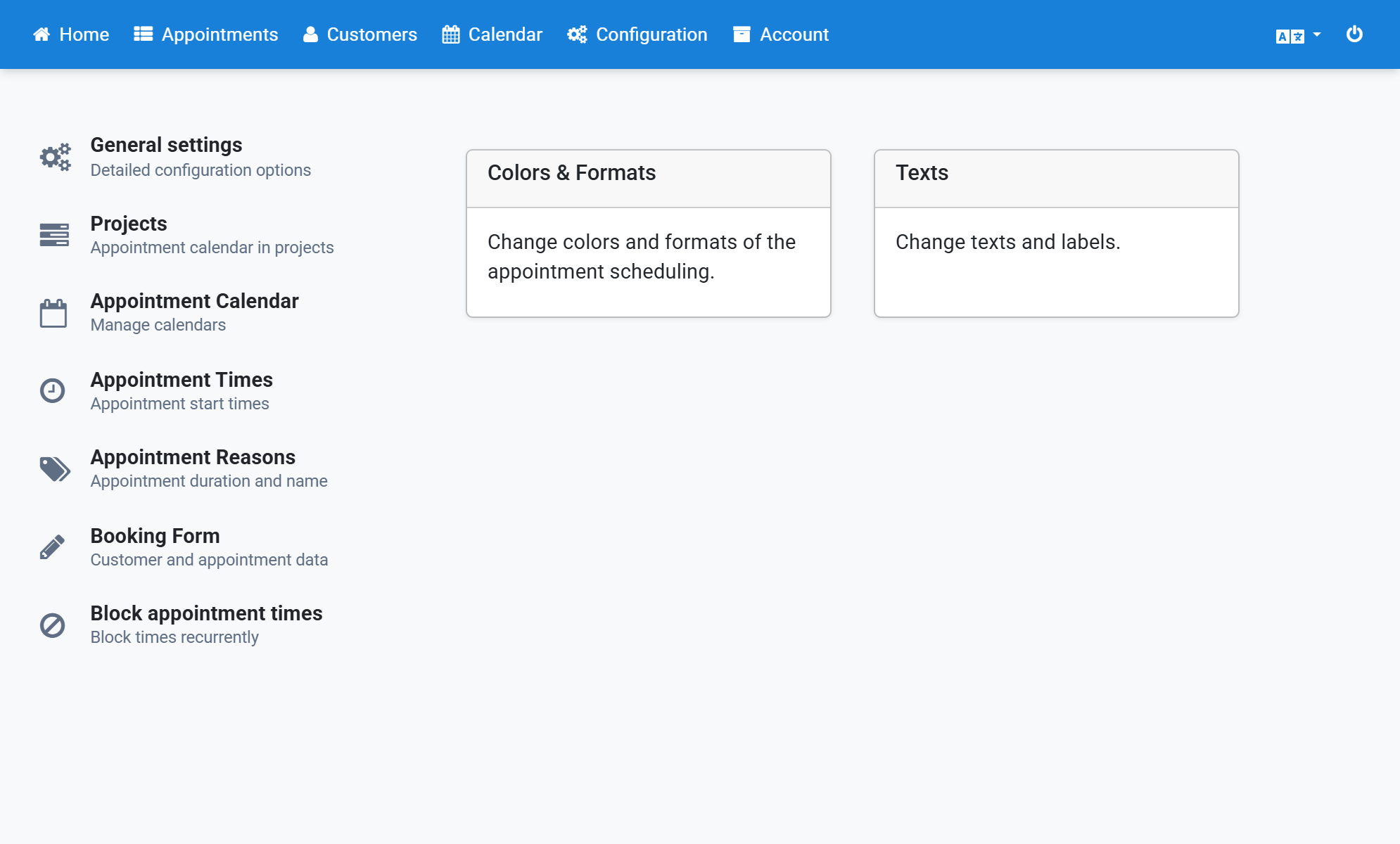
Scroll down to the HTML Code section
11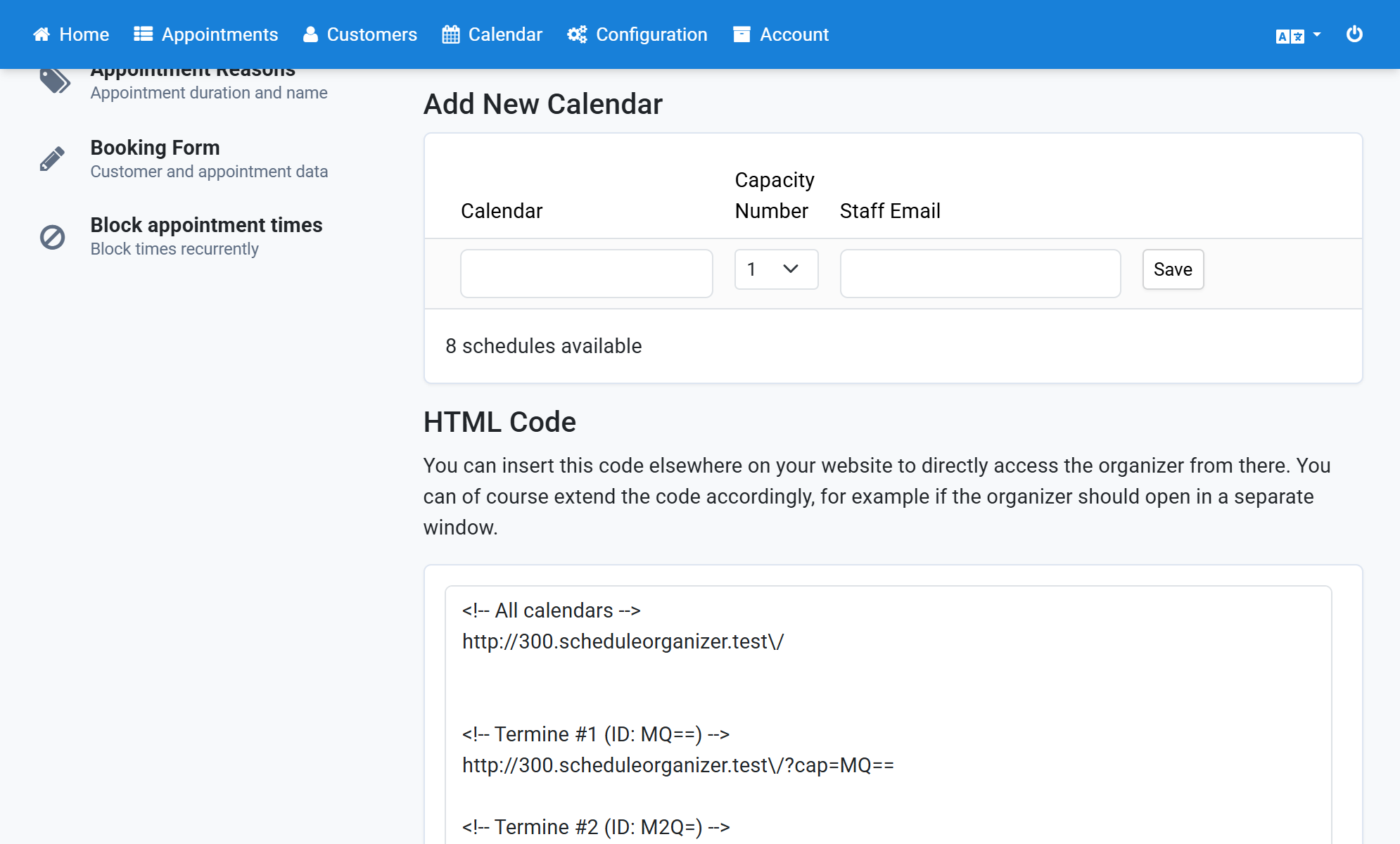
Scroll to the iframe code in the text field
12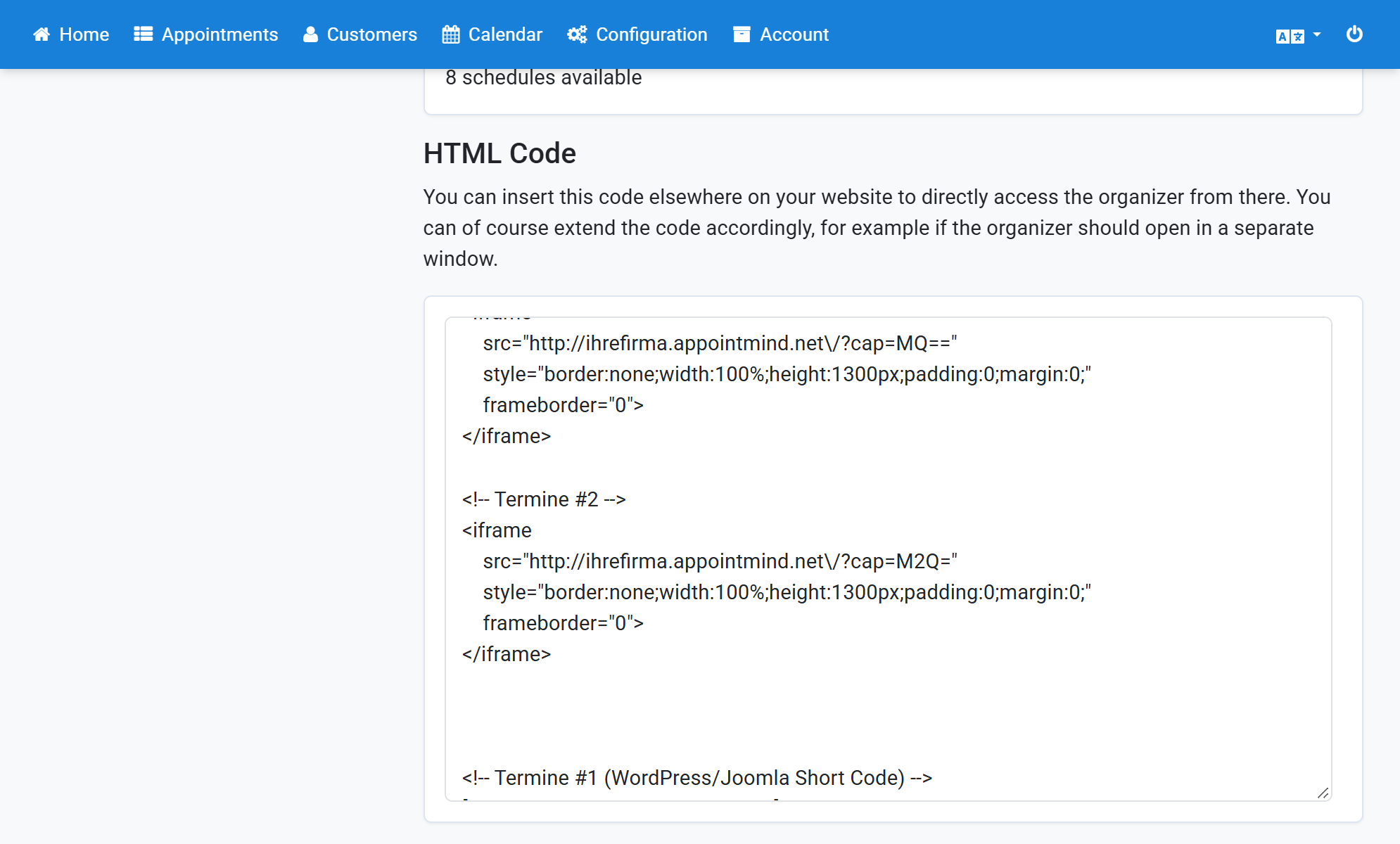
Copy the code and paste it into Weebly
13